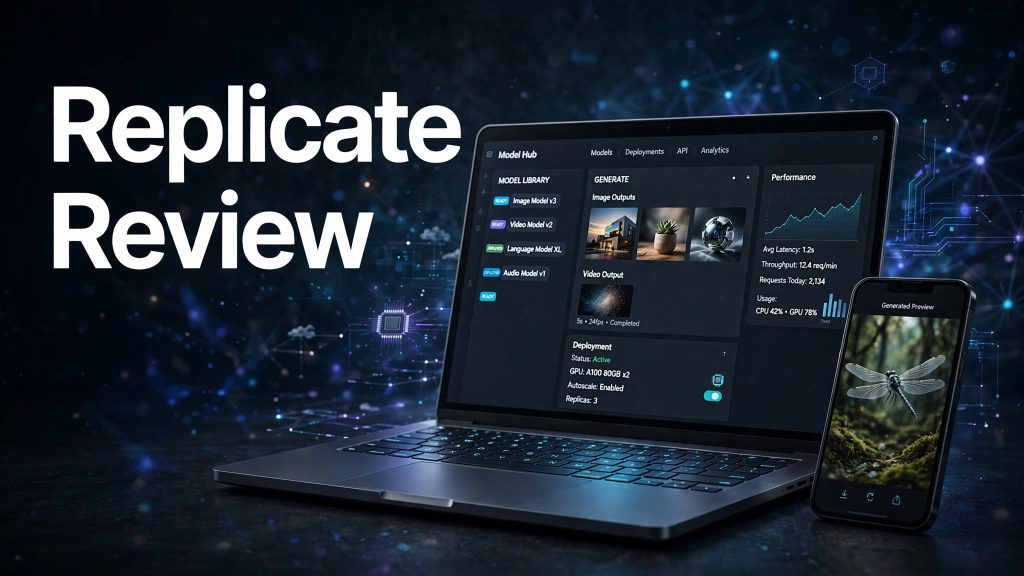
Building AI-powered applications can be challenging, especially when developers need to manage machine learning models, servers, GPUs, and infrastructure. Replicate aims to make this process easier by allowing developers to run AI models through a cloud-based API without managing their own machine learning infrastructure.
It provides access to a wide range of open-source and proprietary models for image generation, video, audio, text, and other AI applications. But is Replicate the right platform for developers and businesses? Let’s explore its features, pricing, advantages, and limitations.
What Is Replicate?

Replicate is a cloud platform that allows developers to run, fine-tune, and deploy machine learning models using a simple API.
Instead of setting up GPU servers or managing complex machine learning infrastructure, users can access models hosted on Replicate and integrate them into their applications.
The platform also supports custom models, allowing developers to upload and deploy their own machine learning projects. It is particularly useful for developers, AI startups, researchers, and businesses building AI-powered products.
What Can You Do With Replicate?
Run Ready-Made AI Models
Replicate provides access to thousands of community-contributed models covering different AI applications. Users can explore models for image generation, video creation, speech, text generation, image editing, and more.
You can test models through their web interfaces or integrate them into your applications using the API.
Build and Fine-Tune Custom Models
Developers can bring their own machine learning models to Replicate and create custom versions for specific requirements.
The platform also supports fine-tuning workflows, allowing users to adapt existing models using their own training data.
Deploy Models With Cloud Infrastructure

Replicate allows users to deploy custom models and configure their hardware and scaling requirements. This helps developers run AI models without building and maintaining their own GPU infrastructure.
Deployments also provide stable API endpoints and options for managing model availability and performance.
API Integration and Automation
Replicate offers Python, JavaScript, and HTTP API support, making it easier to connect AI models with websites, mobile applications, and other software.
It also supports asynchronous predictions and webhooks, which are useful for handling longer-running AI tasks and receiving updates when jobs finish.
Replicate Pricing
Replicate follows a pay-as-you-go pricing model, meaning users generally pay according to their model usage rather than purchasing a standard monthly subscription.
Pricing depends on the model and its billing method:
- Public Models: Most are charged according to the hardware used and the time spent actively processing requests. Setup and idle time are generally free.
- Official Models: Some use predictable pricing based on output images, video duration, or input and output tokens.
- Private Models and Deployments: These can be charged for the time their instances remain online, including setup and idle time.
Some selected models can be tried for free, but users may need to set up billing for continued usage. Always check the individual model’s pricing before running it.
Is Replicate Easy to Use?
Replicate makes running AI models relatively straightforward through its web interface and API documentation. Developers can test models, review their inputs and outputs, and integrate them into applications without managing dedicated machine learning infrastructure.
However, users still need some technical knowledge to configure API requests, handle authentication, manage model inputs, and integrate results into their applications.
Less frequently used models can also experience cold starts, meaning they may take longer to start processing a request.
Pros and Cons of Replicate
Pros
- Access to a wide range of AI models.
- Simple API for integrating models into applications.
- Supports image, video, audio, and text models.
- Options for custom models and fine-tuning.
- Cloud-based model deployment.
- Flexible hardware and scaling options.
- Pay-as-you-go usage-based pricing.
- Python, JavaScript, and HTTP API support.
Cons
- Costs can vary depending on model usage and hardware.
- Some models may experience cold starts.
- Advanced integrations require programming knowledge.
- Deployment costs can include idle and setup time.
- Model licences and commercial usage rights vary.
Who Is Replicate Best For?
Replicate is suitable for AI developers, software engineers, startups, researchers, product teams, and businesses building AI-powered applications.
It can be particularly useful for companies developing image generators, video tools, content applications, chatbots, and other products that require access to machine learning models without managing their own GPU infrastructure.
Is Replicate Worth It?

Replicate is worth considering for developers and businesses that need convenient access to AI models and cloud-based inference.
Its model library, API integration, custom model support, and flexible deployment options make it a useful platform for building and testing AI applications.
However, users should monitor their compute usage carefully, especially when working with expensive hardware or continuously running deployments. Checking model licences is also important before using outputs commercially.
Final Verdict
Replicate provides a practical way to run, customize, and deploy AI models without managing complex machine learning infrastructure.
Its flexible pricing, broad model ecosystem, developer-friendly APIs, and deployment capabilities make it a strong option for AI developers and businesses.
Although technical knowledge and careful cost management are important, Replicate is worth considering for anyone looking to integrate machine learning capabilities into their applications.
Frequently Asked Questions
What is Replicate used for?
Replicate is used to run, fine-tune, and deploy AI and machine learning models through a cloud-based platform and API.
Does Replicate offer a free plan?
Replicate allows users to run selected models for free, but continued usage may require setting up billing.
How does Replicate pricing work?
Replicate generally follows pay-as-you-go pricing. Costs depend on the model, hardware, processing time, or model-specific input and output usage.
Can I use Replicate with Python?
Yes. Replicate provides a Python client, along with JavaScript and HTTP API options.
Can I upload my own AI models to Replicate?
Yes. Developers can create models and deploy their own machine learning projects on the platform.
Is Replicate suitable for businesses?
Yes. It can help businesses integrate AI capabilities into their applications without managing their own GPU infrastructure.