AI chat tools have become useful for writing, coding, research, and everyday productivity. However, managing multiple AI platforms separately can be inconvenient. TypingMind is an advanced AI chat interface that allows users to access different AI models from one workspace.
With support for popular models, AI agents, plugins, and customizable chat settings, TypingMind aims to make AI conversations more organized and productive.
What Is TypingMind?

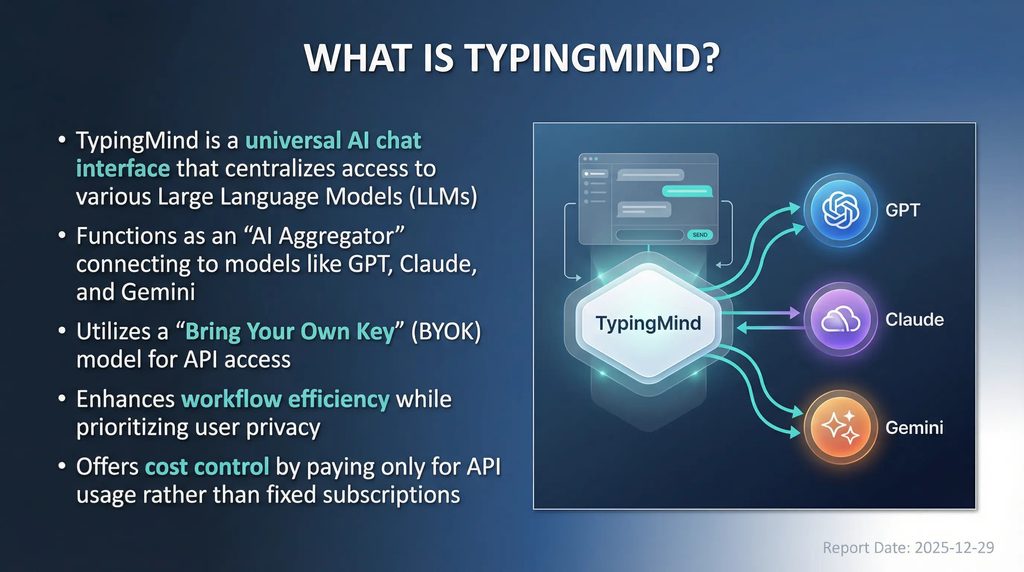
TypingMind is a customizable AI chat interface designed to help users interact with multiple large language models through a single platform.
It supports models from providers such as OpenAI, Anthropic, and Google, allowing users to switch between different AI services without constantly changing applications.
Unlike traditional AI subscriptions, TypingMind offers a one-time license for its personal version. Users generally connect their own API keys and pay their AI providers separately based on usage.
What Can You Do With TypingMind?
Access Multiple AI Models
TypingMind supports different AI models, including GPT, Claude, and Gemini models. Users can switch between providers and choose models that suit their writing, research, programming, or productivity tasks.
Create Custom AI Agents
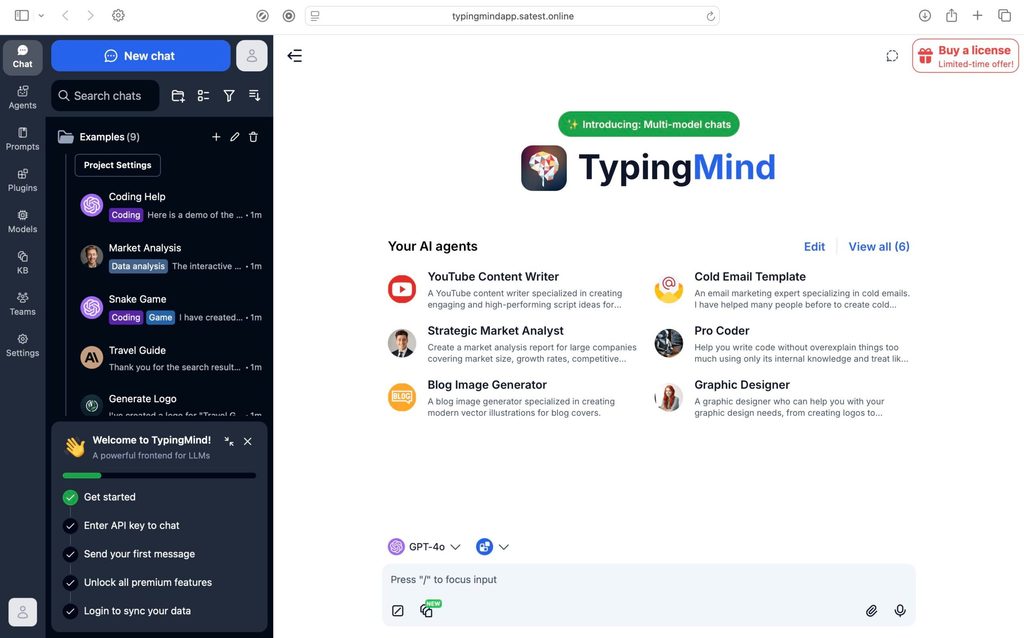
The platform allows users to build AI agents with customized instructions and specific tasks. These agents can help automate repetitive activities and provide more consistent responses.
Manage Chats and Projects
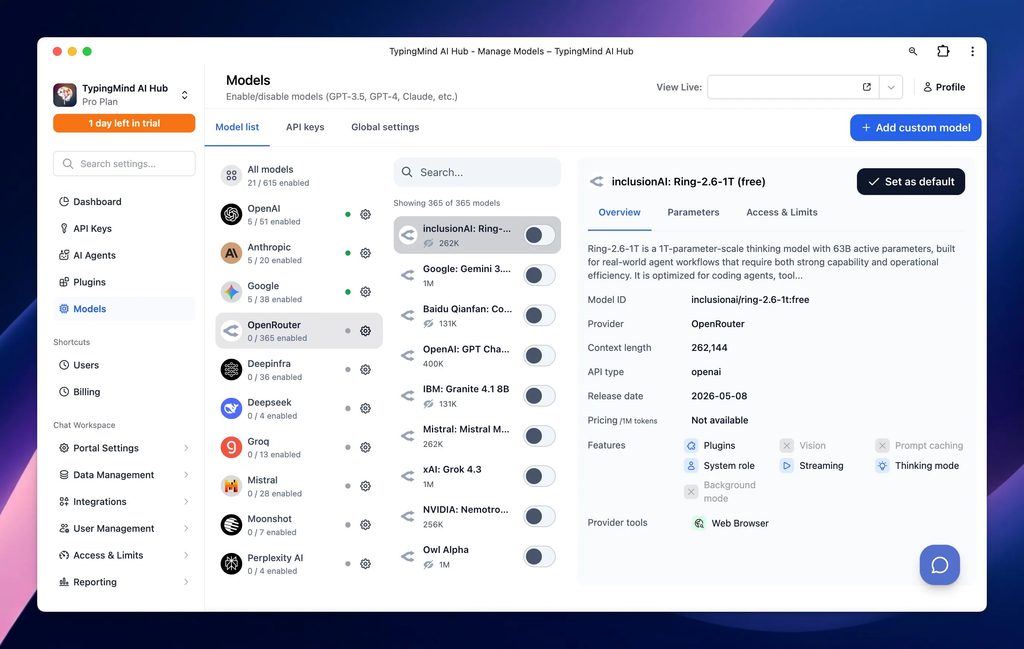
TypingMind includes chat organization features such as folders, search, tags, and conversation management. This makes it easier to organize discussions and revisit previous work.
Use Plugins and Knowledge Bases
TypingMind supports plugins, document uploads, and knowledge-base features on eligible plans. Users can connect additional tools and provide documents or information to improve AI responses.
Customize Your AI Workspace
Users can adjust model settings, manage prompts, customize the interface, and use features such as voice input, image generation, and multi-model chats, depending on their license.
TypingMind Pricing
TypingMind offers one-time licenses for individual users rather than requiring a recurring software subscription.
Its currently advertised individual pricing includes:
- Standard – $39 one-time: Basic chat features, AI agents, voice input, and chat sharing.
- Extended – $79 one-time: Additional features including web search, document uploads, image capabilities, and text-to-speech.
- Premium – $99 one-time (promotional price): Multi-model chats, projects, folders, artifacts, Canvas, and expanded plugin support.
TypingMind also provides separate team and business solutions.
Important: AI provider API usage and additional cloud storage are not included in the license price. Users may need to pay separate API charges based on their usage. Prices and promotional offers can change.
Is TypingMind Easy to Use?
TypingMind provides a clean and customizable interface for managing AI conversations. Once users connect their preferred AI providers, they can start chatting, switch models, organize conversations, and explore additional features.
Basic chat functions are relatively straightforward, although API key configuration, custom plugins, and advanced AI agents may require some technical understanding.
Pros and Cons of TypingMind
Pros
- Supports multiple AI models in one interface.
- One-time license for individual users.
- Custom AI agents and plugins.
- Chat folders and conversation organization.
- Knowledge-base and document features.
- Customizable interface and model settings.
- Suitable for writing, coding, and research.
Cons
- AI provider API costs are separate.
- Initial API configuration may confuse beginners.
- Advanced features require higher-tier licenses.
- Some technical knowledge may be needed.
- Team solutions have separate pricing.
Who Is TypingMind Best For?
TypingMind can be useful for developers, content writers, researchers, marketers, freelancers, and businesses that regularly use different AI models.
It is particularly suitable for users who want more control over their AI conversations, prefer organizing their work in one interface, and are comfortable managing API-based services.
Is TypingMind Worth It?
TypingMind can be worth considering for users who frequently work with multiple AI models and want a customizable chat experience.
Its one-time license can be appealing compared with paying recurring fees for a separate chat interface. However, because AI provider API charges are additional, the total cost depends on usage.
For people who value flexibility, AI agents, model switching, and organized conversations, TypingMind offers a useful combination of features.
Final Verdict
TypingMind is a flexible AI chat interface that brings multiple AI models, custom agents, plugins, and productivity tools together in one workspace.
Its one-time licensing model and customization options make it an attractive choice for developers, professionals, and frequent AI users.
If you regularly use different AI models and want greater control over your workflow, TypingMind is worth exploring. Just consider the separate API expenses before purchasing.
Frequently Asked Questions
What is TypingMind used for?
TypingMind is used to interact with different AI models, organize conversations, create custom AI agents, and manage AI-powered productivity tasks.
Does TypingMind support ChatGPT and Claude?
Yes. TypingMind supports models from OpenAI and Anthropic, along with Google and other AI providers.
Is TypingMind free?
TypingMind provides a free way to try its interface, while its full individual features are available through paid one-time licenses.
Does TypingMind require API keys?
Users generally connect their own API keys to access AI models. API usage is billed separately by the selected providers.
Is TypingMind good for coding?
Yes. Developers can use supported AI models for writing code, debugging, explaining programming concepts, and managing development-related conversations.