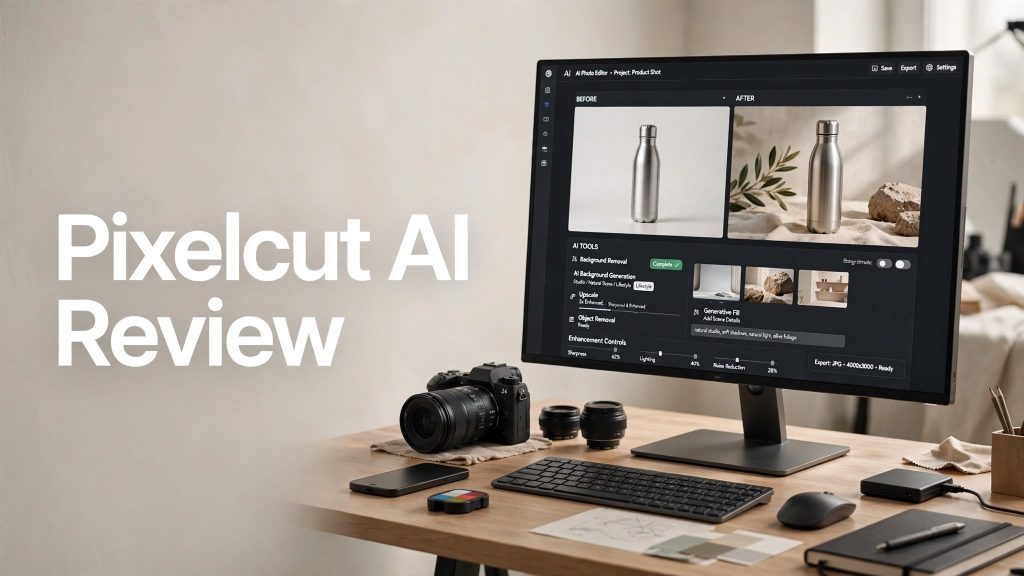
Creating professional-looking product photos, social media graphics, ads, and marketing visuals can take a lot of time. Pixelcut AI combines AI photo and video editing tools with product-focused creative features to help creators and businesses produce polished visuals faster.
But is Pixelcut actually worth using? In this Pixelcut AI review, we’ll look at its main features, pricing, ease of use, pros and cons, and who can benefit most from the platform.
What Is Pixelcut AI?
Pixelcut AI is an AI-powered photo and video editor designed especially for creators, sellers, brands, and small businesses. Its tools cover everything from background removal and image upscaling to AI-generated product photography, advertising content, and video creation.
The platform is available through web, iOS, Android, and API, making it possible to create and edit visuals across different workflows.
What Can You Do With Pixelcut AI?
Background Removal and Editing
Pixelcut can automatically remove backgrounds from images and videos. It also includes tools such as Magic Eraser, generative fill, retouching, and image expansion for cleaning up or modifying visuals.
AI Product Photos
One of Pixelcut’s biggest strengths is product photography. Users can generate studio-style product images from prompts or templates without needing a traditional photo studio.
This can be useful for online stores, social media campaigns, advertisements, and product listings.
AI Image and Video Generation

Pixelcut also provides AI image generation and video creation tools. Users can create visuals from text prompts and work with different AI models for different creative requirements.
Upscaling and Batch Editing
The platform can upscale images by up to 16x and includes batch editing for processing large numbers of images at once. Pixelcut says its batch tools can handle up to 10,000 images in a single workflow.
Pixelcut AI Pricing
Pixelcut offers Free, Pro, and Business plans.
- Free: $0/month with limited background removal and upscaling, plus watermark-free exports.
- Pro: $10/month, or $8/month when billed annually, with 600 AI credits per month, unlimited background removal and upscaling, three team members, batch exports, and a commercial license.
- Business: $30/month, or $24/month when billed annually, with 3,600 AI credits per month, up to 10 team members, and higher batch-export limits.
Pixelcut also offers API access with credit-based pricing for businesses that want to integrate image tools into their own applications or workflows.
Is Pixelcut AI Easy to Use?

Pixelcut is designed to make professional visual editing accessible even for users without advanced design skills. Many tools are based around simple prompts, templates, and automated editing.
The platform also provides a Creative Agent that can understand a natural-language request and plan the editing workflow automatically.
Beginners can start with basic tools such as background removal and image editing, while more advanced users can explore AI models, batch workflows, and API integrations.
Pros and Cons
Pros
- Easy-to-use AI editing tools
- Powerful background removal
- AI product photography
- Image and video generation
- Upscaling up to 16x
- Batch editing capabilities
- Free plan available
- Web and mobile access
- API available for developers
Cons
- Advanced AI features use credits
- Free plan has usage limitations
- Costs can increase for heavy AI generation
- Some advanced features may require experimentation
Who Is Pixelcut AI Best For?
Pixelcut AI is especially useful for e-commerce sellers, small businesses, marketers, social media creators, photographers, agencies, and brands that need professional-looking visual content.
It can be particularly helpful for businesses that regularly create product photos, advertisements, social media graphics, and marketing videos.
Is Pixelcut AI Worth It?

Pixelcut AI offers a broad collection of tools for creating and editing visual content without requiring expensive photography equipment or advanced editing skills.
The Free plan is useful for testing its basic tools, while Pro and Business plans provide more AI credits and higher limits for users who create content regularly.
Final Verdict
Pixelcut AI combines photo editing, AI image generation, product photography, video creation, background removal, upscaling, and batch editing in one platform.
For creators and businesses that need to produce professional visual content quickly, Pixelcut AI is worth considering, especially if product photography and marketing content are major parts of your workflow.
Frequently Asked Questions
Is Pixelcut AI free?
Yes. Pixelcut offers a Free plan with limited access to several editing tools and watermark-free exports.
How much does Pixelcut Pro cost?
Pixelcut Pro currently costs $10 per month, or $8 per month when billed annually.
Can Pixelcut create product photos?
Yes. Pixelcut provides AI product photography tools that can generate studio-style product visuals from prompts or templates.
Can Pixelcut generate videos?
Yes. Pixelcut includes AI video generation tools that can create videos from text prompts and, with supported models, reference images.
Is Pixelcut good for e-commerce?
Pixelcut is particularly focused on product photography and marketing visuals, making it useful for online sellers and e-commerce businesses.