
Editing photos manually can take a lot of time, especially when you need to remove backgrounds, erase unwanted objects, improve image quality, or create new visual content. Clipdrop is an AI-powered image creation and editing platform designed to make these tasks faster and easier.
It brings multiple AI image tools into one platform, making it useful for creators, photographers, marketers, e-commerce businesses, and anyone who works with digital images.
What Is Clipdrop?

Clipdrop is an AI image creation and editing platform that provides a collection of tools for generating, enhancing, and modifying images.
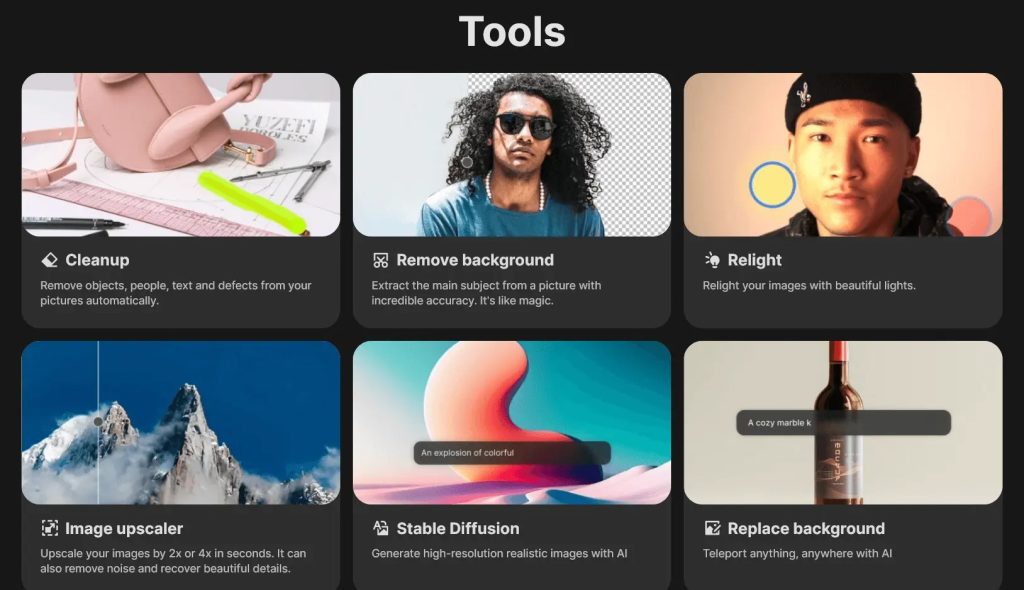
Its tools include background removal, image cleanup, image upscaling, relighting, background replacement, uncropping, text removal, and AI text-to-image generation. This gives users different ways to transform existing images or create new visuals.
What Can You Do With Clipdrop?
Remove Image Backgrounds
Clipdrop can automatically separate the main subject from an image and remove its background. This can be useful for product photography, e-commerce listings, marketing designs, and social media content.
Clean Up Photos
The Cleanup tool can remove unwanted objects, people, text, and other distractions from images, allowing users to create cleaner-looking photos.
Upscale and Improve Images
Clipdrop provides AI-powered image upscaling that can increase image resolution while attempting to recover important visual details.
Generate and Transform Images
Users can create images from text prompts, replace backgrounds, uncrop images to expand the frame, and relight existing photos with AI-powered editing tools.
Clipdrop Pricing
Clipdrop offers a Free option that provides limited daily access to several tools. Its current free limits include features such as background removal, upscaling, cleanup, relighting, uncropping, and text-to-image generation.
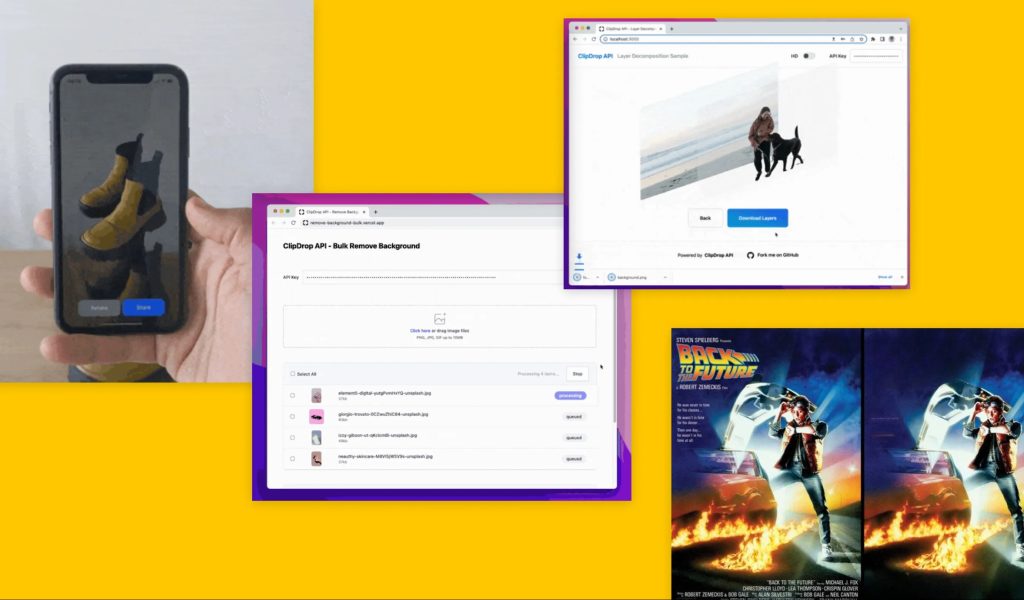
The Pro plan provides higher-resolution output and much higher usage limits across the platform’s tools. Clipdrop also provides API access with usage-based pricing for businesses and developers that want to integrate its image technology into other products.
Is Clipdrop Easy to Use?

One of Clipdrop’s biggest advantages is its simple workflow. Most tools work by uploading an image, selecting the desired editing option, and allowing the AI to process the result.
This makes Clipdrop easier to approach than traditional professional image-editing software for users who mainly need quick AI-powered edits.
Pros and Cons of Clipdrop
Pros
- Multiple AI image editing tools in one platform.
- Background removal and replacement.
- AI-powered object and text removal.
- Image upscaling and enhancement.
- AI relighting and uncropping.
- Text-to-image generation.
- Useful for creative and commercial image workflows.
Cons
- Free usage comes with daily limits.
- Pro features may be necessary for high-resolution work.
- AI-generated results can sometimes require additional editing.
- Advanced professional workflows may still need traditional editing software.
Who Is Clipdrop Best For?
Clipdrop can be useful for photographers, graphic designers, marketers, e-commerce businesses, social media creators, creative agencies, and small businesses.
It is particularly useful for people who regularly need quick photo adjustments without spending a lot of time working with complex editing software.
Is Clipdrop Worth It?
Clipdrop can be worth considering if you frequently work with images and want quick access to multiple AI editing tools from one platform.
Its combination of background removal, cleanup, upscaling, relighting, image generation, and other editing features can make everyday visual-content tasks much faster. The free tier is also useful for testing the platform before deciding whether the higher usage limits of Pro are necessary.
Final Verdict
Clipdrop is a versatile AI image editing and creation platform that combines several useful tools in one place. It can simplify tasks such as removing backgrounds, cleaning up photos, improving image resolution, changing lighting, and generating new visuals.
For creators, marketers, photographers, and businesses that need fast image editing without relying entirely on traditional software, Clipdrop is worth trying.
Frequently Asked Questions
What is Clipdrop used for?
Clipdrop is used for AI-powered image creation and editing, including background removal, cleanup, upscaling, relighting, uncropping, and image generation.
Is Clipdrop free?
Yes. Clipdrop offers a free option with limited daily usage for several of its tools. A Pro plan provides higher limits and additional capabilities.
Can Clipdrop remove backgrounds?
Yes. Clipdrop includes an AI background removal tool for separating subjects from their original backgrounds.
Can Clipdrop remove unwanted objects from photos?
Yes. Its Cleanup tool can remove unwanted objects, people, text, and other visual distractions from images.
Is Clipdrop good for businesses?
Clipdrop can be useful for businesses that need product images, marketing graphics, social media visuals, and quick photo editing.