Typing can be one of the biggest productivity bottlenecks, especially when you’re writing emails, documents, messages, notes, prompts, or code throughout the day. Wispr Flow takes a different approach by letting you speak naturally and turning your voice into polished written text.
Unlike basic speech-to-text tools that simply transcribe everything word for word, Wispr Flow is designed to clean up filler words, understand corrections, add punctuation, format lists, and adapt to your vocabulary and writing style.
The platform works across apps and devices, including Mac, Windows, iPhone, and Android, and supports more than 100 languages.
But is Wispr Flow actually worth using? Can it replace traditional typing for everyday work, and is the Pro subscription worth paying for?
In this Wispr Flow review, we’ll look at its features, AI capabilities, supported platforms, pricing, ease of use, privacy controls, pros and cons, and whether Wispr Flow is worth it for different types of users.
What Is Wispr Flow?

Wispr Flow is an AI-powered voice-to-text and dictation tool designed to help users write faster by speaking instead of typing.
The basic idea is simple: press the Flow shortcut or microphone control, speak naturally, and Flow converts your speech into written text wherever you’re working.
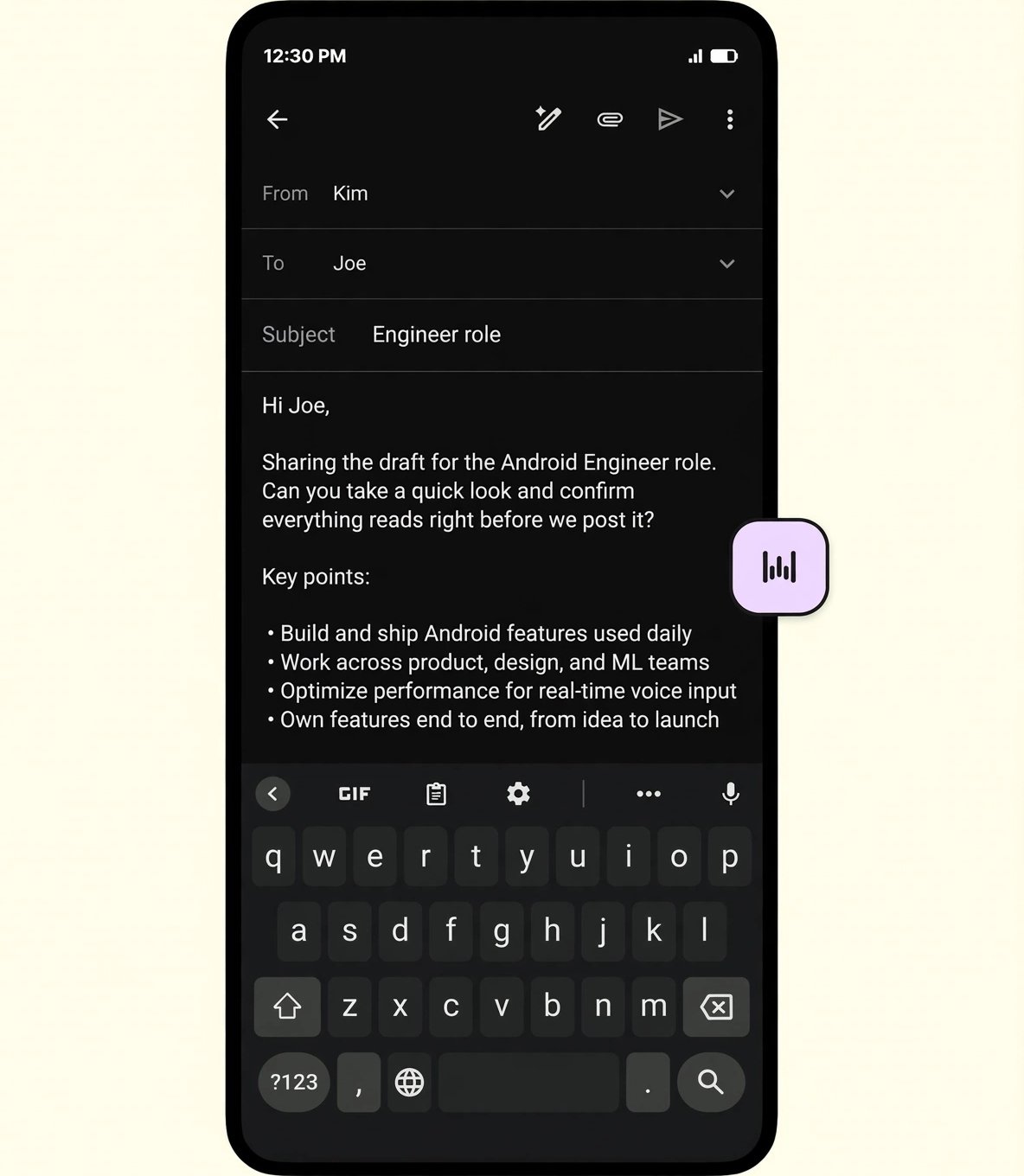
It can work inside applications and websites that contain text fields, including tools such as Gmail, Google Docs, Notion, WhatsApp, and developer applications such as Cursor.
What makes Wispr Flow different from traditional voice dictation is its emphasis on AI-assisted transcription and editing.
Instead of forcing you to speak in perfectly structured sentences, Flow is designed to understand natural speech and turn it into cleaner, more usable writing.
How Does Wispr Flow Work?

Getting started with Wispr Flow is relatively straightforward.
Once installed, you can use the Flow shortcut or microphone interface to begin speaking. Your speech is transcribed and inserted into the text field you’re working in.
On Mac and Windows, users can hold the hotkey to dictate and release it to stop and paste. Flow also supports a hands-free mode through a double press. On iPhone, dictation is started through the Flow keyboard, while Android users can use the floating bubble interface.
Speak Naturally
You don’t need to dictate like a robot.
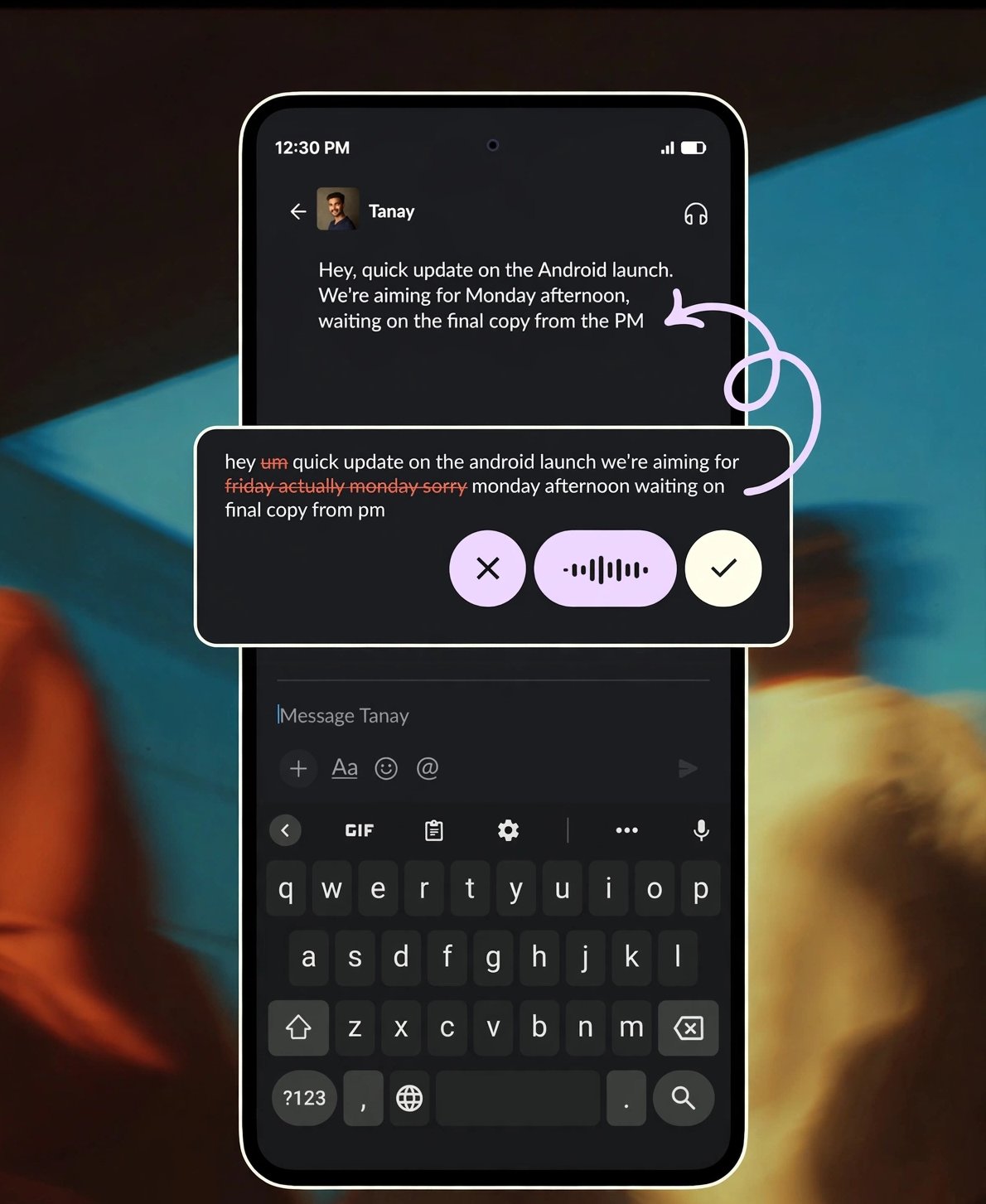
Flow is designed to understand natural speech, including corrections and pauses.
For example, if you say something and then immediately change your mind, Flow can understand the correction rather than simply leaving both versions in the final text.
Flow Cleans Up Your Speech
One of the most useful aspects of Wispr Flow is that it can remove common filler words and unnecessary pauses.
Instead of leaving you with a transcript filled with “um,” “uh,” and repeated phrases, Flow attempts to produce cleaner writing.
Flow Adds Formatting
You can also use natural speech to create structured content.
For example, you can dictate a numbered list and Flow can format it as a proper list instead of producing one long paragraph.
Wispr Flow Features
Wispr Flow offers considerably more than basic voice transcription.
AI Voice-to-Text
The main feature is AI-powered voice dictation.
Flow turns spoken thoughts into written content across the applications you already use, which makes it useful for emails, documents, messages, notes, prompts, and other everyday writing tasks.
The company says Flow can help users write at around four times the speed of typing.
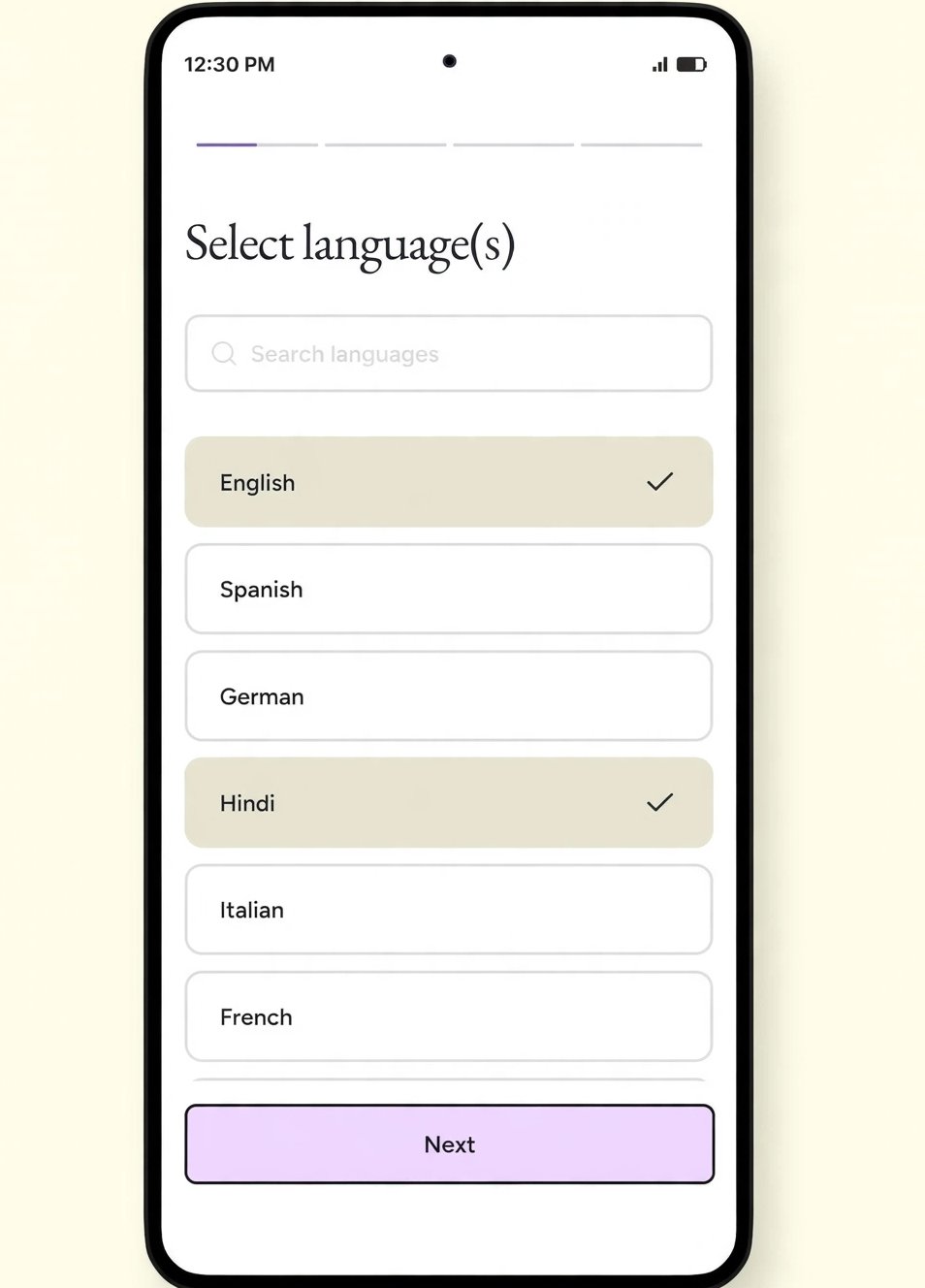
100+ Languages
Wispr Flow supports more than 100 languages.
This is particularly useful for multilingual users who regularly switch between languages or need to dictate content in languages other than English.
Flow’s India page also highlights support for Hindi and Hinglish-style prompting, which can be particularly useful for Indian users who naturally mix languages while speaking.
Context-Aware Name Recognition
Names and unusual words can be difficult for traditional speech recognition.
Wispr Flow attempts to use surrounding context to recognize uncommon names and spell them correctly. It can also learn words and terminology that are important to you.
Personal Dictionary
Flow can learn your vocabulary over time.
When you correct a spelling, that correction can be added to your personal dictionary. You can also manually add industry-specific terminology and unusual spellings.
This can be particularly useful for professionals who regularly use technical terms, company names, product names, or industry jargon.
Snippets
Snippets let you create voice shortcuts for phrases you frequently use.
For example, you could create a shortcut for a common email introduction, support response, scheduling link, or frequently used piece of text.
Instead of repeatedly typing the same content, you can say the shortcut and have Flow insert the associated text.
Styles
Wispr Flow also includes Styles for shaping the tone of your writing.
The feature can help adapt your writing style depending on the context, such as making content more formal for documents or more casual for messages.
According to Wispr Flow, Styles are currently available in English and on desktop.
Wispr Flow for Developers
Wispr Flow isn’t limited to emails and documents.
The platform has specific features designed for developers who want to dictate code, technical prompts, filenames, and command-line instructions.
Syntax Awareness
Flow is designed to recognize programming syntax and preserve formatting such as camelCase, snake_case, acronyms, and spacing.
Developer Jargon
Developers frequently use words that ordinary speech-recognition systems may struggle with.
Wispr Flow specifically highlights terminology such as Supabase, Cloudflare, and Vercel and allows users to add unfamiliar terms to their personal dictionary.
File Tagging
When working with tools such as Cursor or Windsurf, Flow can recognize filenames while you speak and tag the relevant file in your prompt.
This can make voice-based AI coding workflows more practical.
Wispr Flow for AI Prompts
One particularly interesting use case is writing prompts for AI tools.
Instead of typing a short prompt such as:
“Write a blog post about productivity.”
You can speak naturally and provide much more context about what you actually want.
Flow can then turn that longer spoken explanation into a structured prompt.
This can be useful for people who regularly work with ChatGPT, Claude, Perplexity, coding assistants, or other AI tools.
Wispr Flow for Meetings
Wispr Flow also offers a Notetaker designed for meetings and voice memos.
The Notetaker can identify speakers in meeting notes and allows users to ask questions about meetings. Flow also supports using meeting notes with AI tools such as Claude and ChatGPT through MCP.
This makes Wispr Flow more than a simple dictation application.
For professionals who spend a lot of time in meetings, the combination of dictation and meeting notes can potentially make the platform more useful.
Wispr Flow Supported Devices
Wispr Flow is available across several major platforms.
Currently, Flow supports:
- Mac
- Windows
- iPhone
- Android
The company says your voice, personal dictionary, styles, and settings can work across devices.
The Android version is available, although some platform-specific features can differ between desktop and mobile.
Is Wispr Flow Easy to Use?
Yes. Ease of use is one of Wispr Flow’s strongest advantages.
The basic workflow is simple:
Speak → Flow understands → AI cleans it up → Text appears where you’re working.
You don’t need to learn complicated editing software or build a technical workflow.
Once the keyboard shortcut or microphone control becomes part of your routine, dictation can become a natural alternative to typing.
Wispr Flow Pricing
Wispr Flow offers a free plan as well as paid Pro and business-oriented plans. Current pricing can vary between monthly and annual billing.
Free Plan
The Free plan costs $0/month.
It includes voice dictation, support for 100+ languages, cross-platform availability, vocabulary learning, and access to the Notetaker with certain usage limits.
For someone who simply wants to test whether voice-based writing fits their workflow, the free plan is a useful starting point.
Pro Plan
The current Pro price is $15 per user/month when billed monthly or $12 per user/month when billed annually, representing a 20% annual discount.
Pro adds features such as:
- Unlimited dictation
- More meeting capacity
- Longer meeting retention
- Advanced AI models
- Early access to new features
- Priority support
- Team billing and management features
The exact availability of some features can vary by platform and account type.
Growth and Enterprise
For teams that need more advanced administrative and security controls, Wispr Flow offers Growth and Enterprise options.
Growth includes capabilities such as SAML SSO, SCIM, multiple domains, usage analytics, organization-wide controls, and HIPAA-related controls with a signed BAA.
Enterprise adds more advanced options such as audit logs, managed deployment, domain controls, dedicated support, custom commercial terms, and other enterprise features.
Wispr Flow Privacy and Security
Privacy is particularly important for voice-based software because users may dictate emails, business information, personal notes, or confidential work.
Wispr Flow states that it has SOC 2 Type II and ISO 27001 certifications and offers HIPAA-ready dictation with a signed BAA. It also provides controls that allow users to manage data-sharing preferences and storage.
The company also says users can opt out of model training and choose what is stored and delete stored information when they want.
For businesses handling sensitive information, the availability of organization-level controls can be an important consideration.
Does Wispr Flow Work Offline?
No.
Wispr Flow currently requires an internet connection to transcribe speech using its models.
This is worth considering if you frequently work in locations with unreliable connectivity.
Wispr Flow Pros and Cons
Pros
- Fast AI-powered voice dictation
- Works across multiple applications
- Supports 100+ languages
- Available on Mac, Windows, iPhone, and Android
- Removes filler words
- Understands corrections
- Learns personal vocabulary
- Supports snippets and writing styles
- Useful for AI prompting
- Developer-focused features
- Meeting Notetaker
- Free plan available
- Strong privacy and security options
Cons
- Requires an internet connection
- Some advanced features require Pro
- Styles are currently limited by language and platform
- Mobile and desktop experiences aren’t identical
- Professional users may need time to build a reliable personal dictionary
Who Is Wispr Flow Best For?
Wispr Flow can be useful for a wide range of users.
Writers and Content Creators
Bloggers, copywriters, journalists, and content creators can use voice dictation to get ideas out faster.
Instead of staring at a blank document, you can simply talk through your ideas and let Flow turn them into text.
Business Professionals
People who spend much of the day writing emails, messages, reports, and documents may benefit significantly from voice-based writing.
Developers
Developers can take advantage of syntax awareness, developer terminology recognition, and file tagging when working with AI coding tools.
Students
Students can use Flow for notes, essays, brainstorming, research ideas, and other writing tasks.
People Who Type Slowly
If typing speed is a major productivity limitation, voice dictation can offer an alternative way to get thoughts onto the screen.
Who Might Not Need Wispr Flow?
Wispr Flow isn’t necessarily useful for everyone.
If you type quickly, rarely write long-form content, or prefer traditional keyboards, the additional subscription may not provide enough value.
It may also be less useful for people who frequently work offline.
Wispr Flow vs Traditional Voice Dictation
The biggest difference between Wispr Flow and basic voice input is the amount of processing that happens after you speak.
Traditional dictation generally focuses on converting speech into text.
Wispr Flow goes further by attempting to understand context, remove filler words, format content, recognize corrections, learn vocabulary, and adapt writing style.
That makes it closer to an AI writing interface controlled by your voice than a simple speech-to-text tool.
Is Wispr Flow Legit?
Yes. Wispr Flow is a legitimate AI voice productivity platform with dedicated desktop and mobile applications, published documentation, paid plans, business offerings, and security certifications.
The company also continues to expand its product into areas such as meeting notes, AI prompting, developer workflows, and team collaboration.
Is Wispr Flow Worth It?
For people who write frequently, Wispr Flow can be worth trying, particularly because the free plan allows users to test the basic experience before committing to Pro.
The biggest question is whether voice dictation actually saves you meaningful time.
If you regularly write emails, articles, prompts, notes, messages, or code, the productivity gains can potentially justify the subscription.
If you only write occasionally, the free plan may be enough.
Final Verdict: Should You Use Wispr Flow?
Wispr Flow is one of the more interesting AI-powered dictation tools for people who want to replace some of their typing with natural speech.
Its strongest advantage is that it doesn’t treat dictation as simple transcription. The platform attempts to clean up spoken language, understand corrections, format content, learn vocabulary, and adapt to different writing workflows.
Its support for 100+ languages, broad application compatibility, developer-focused features, meeting Notetaker, and cross-device availability make it more versatile than a basic voice-input tool.
The free plan makes it easy to test, while Pro is better suited to people who dictate regularly and want unlimited usage and additional AI capabilities.
Overall, if you spend a significant amount of time typing every day, Wispr Flow is worth trying.
Frequently Asked Questions About Wispr Flow
What is Wispr Flow used for?
Wispr Flow is primarily used for AI-powered voice dictation. It turns spoken language into polished written content across apps and websites.
Is Wispr Flow free?
Yes. Wispr Flow has a free plan. Paid Pro plans add unlimited dictation and additional features.
How much does Wispr Flow cost?
The current Pro plan is $15 per user/month when billed monthly or $12 per user/month when billed annually. Business plans have separate pricing.
Does Wispr Flow work on Windows?
Yes. Wispr Flow supports Windows as well as Mac, iPhone, and Android.
Does Wispr Flow support Hindi?
Yes. Wispr Flow supports more than 100 languages, including Hindi.
Can Wispr Flow be used with ChatGPT?
Yes. Wispr Flow can be used to dictate text and prompts into applications that accept text input, and its meeting notes can also be used with AI tools such as ChatGPT and Claude through MCP.
Is Wispr Flow good for developers?
Yes. Wispr Flow includes developer-oriented features such as syntax awareness, developer terminology recognition, and file tagging for workflows involving tools such as Cursor and Windsurf.
Does Wispr Flow work offline?
No. The company says Flow requires an internet connection for speech transcription.
Is Wispr Flow worth paying for?
It can be, especially for people who dictate frequently and want unlimited dictation, advanced AI models, and additional productivity features. Casual users may find the free plan sufficient.