Creating accurate transcripts and subtitles can take a lot of time, especially when working with interviews, podcasts, YouTube videos, online courses, and other long-form content. AI-powered transcription tools can make this process much faster.
HappyScribe is a transcription, subtitling, translation, and media localization platform designed for individuals, creators, businesses, and teams. It combines AI-powered tools with human-made services, supporting more than 150 languages across transcription and subtitling workflows.
But is HappyScribe actually worth using? Let’s take a closer look.
What Is HappyScribe?
HappyScribe is an online platform for converting audio and video into editable transcripts and subtitles.
Users can upload media files, generate AI transcripts, edit the results, create subtitles, translate content, and export their work in different formats. The platform also includes an AI Notetaker that can record meetings through services such as Zoom, Google Meet, and Microsoft Teams.
For users who need higher accuracy or specialized formatting, HappyScribe also offers professional human transcription, subtitling, proofreading, and translation services.
What Can You Do With HappyScribe?
AI Transcription
HappyScribe can automatically convert audio and video into text. It supports more than 150 languages and includes automatic speaker detection to help organize conversations involving multiple people.
Subtitle Creation
The platform includes a dedicated subtitle editor where users can edit timing, formatting, and subtitle content. Transcripts can also be converted into subtitles directly from the editor.
Translation and Localization
HappyScribe supports translation workflows for subtitles and transcripts, with translation available across 80+ languages on its current plans. It also provides localization and adaptation options for content where cultural context and tone matter.
AI Notetaker and Collaboration
The AI Notetaker can record online meetings and generate transcripts and summaries. HappyScribe also provides collaborative editing, comments, sharing, glossaries, style guides, and integrations with platforms such as YouTube, Vimeo, Google Drive, Dropbox, and more.
HappyScribe Pricing
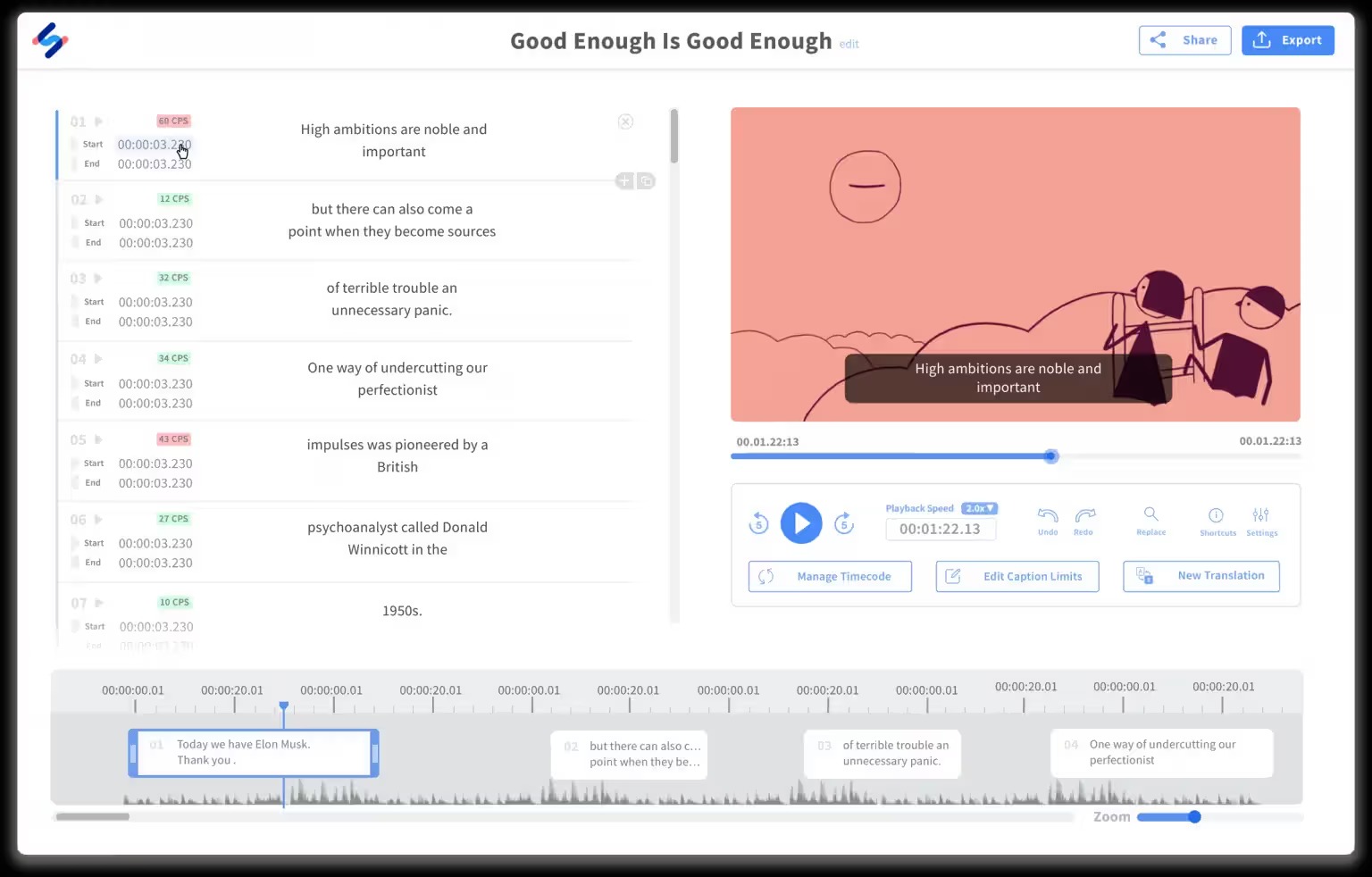
HappyScribe currently offers Free, Basic, Pro, and Business plans.
The Free plan costs $0 and includes a 10-minute trial of AI transcription, subtitling, and translation, along with unlimited meeting recordings of up to 45 minutes per recording.
The Basic plan starts at $8.50/month when billed annually and includes 1,440 minutes of AI transcription, subtitling, and translation per year.
The Pro plan costs $19/month and includes 600 minutes per month, unlimited AI Chat, and three user seats.
The Business plan costs $59/month and includes 6,000 minutes per month and five user seats. Additional AI credits are currently priced at $0.20 per minute on paid plans.
Human proofreading and professional transcription services are available separately, with human services starting from different per-minute rates depending on the language and service.
Is HappyScribe Easy to Use?
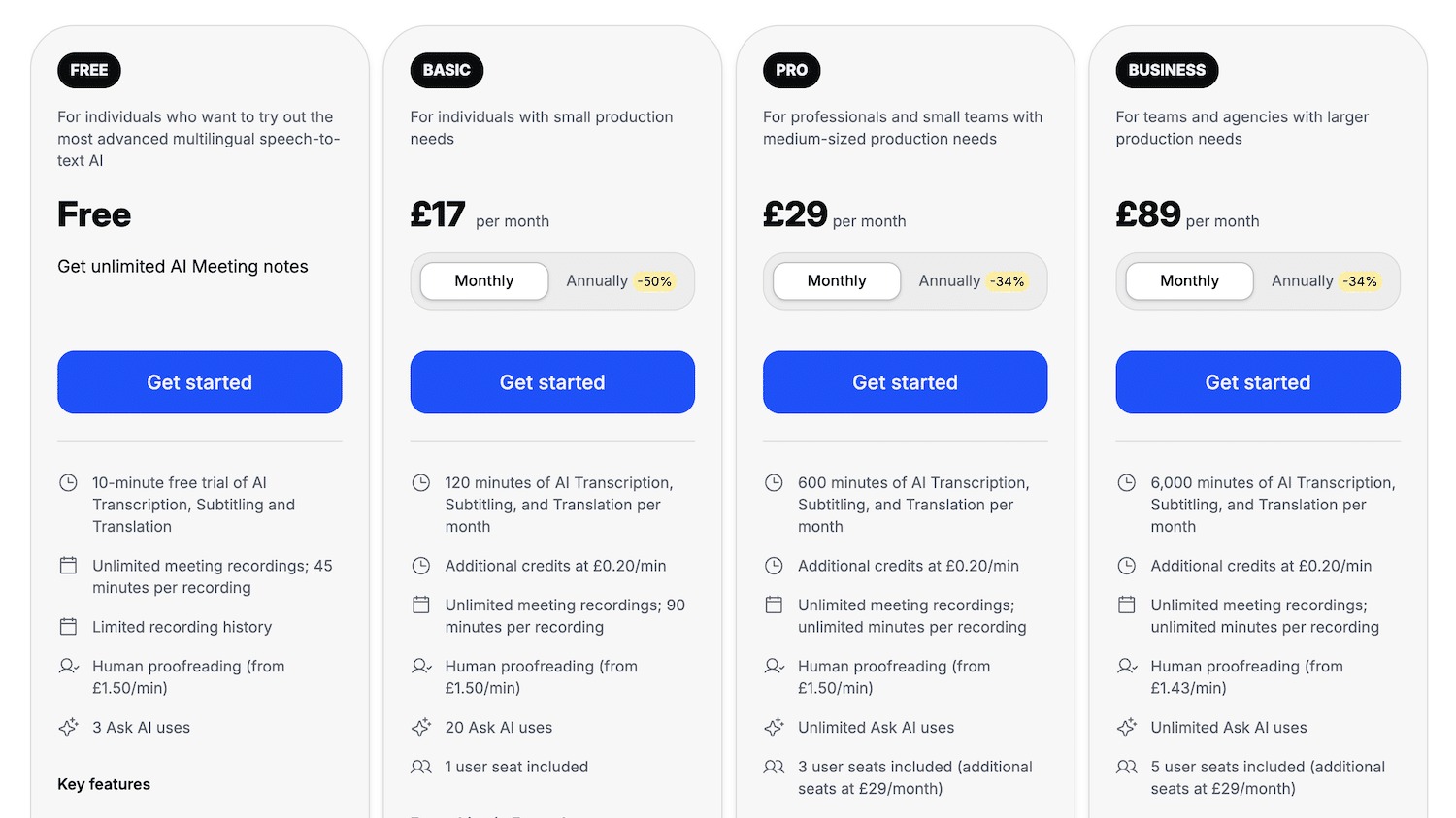
HappyScribe is designed around a straightforward upload, transcription, editing, and export workflow.
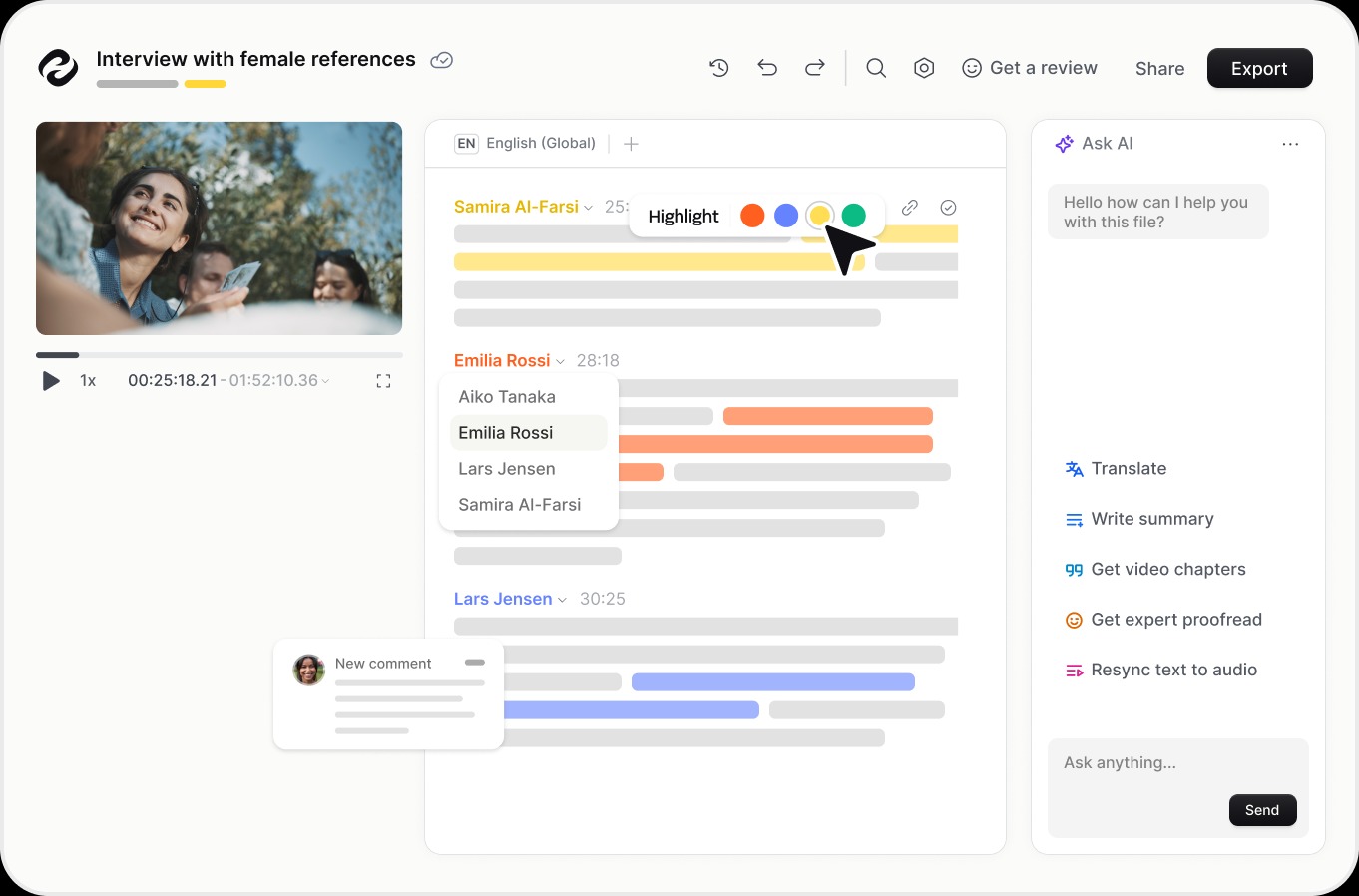
The transcript editor makes it possible to correct mistakes, identify speakers, add comments, review time-coded text, and collaborate with other users. You can also translate transcripts or turn them into subtitles without starting the entire process again.
Beginners should be able to get started quickly, while professional users have access to more advanced customization and workflow features.
Pros and Cons of HappyScribe
Pros
- AI transcription and subtitling
- Supports 150+ languages
- Automatic speaker detection
- Translation and localization tools
- Human transcription and proofreading options
- AI meeting Notetaker
- Collaborative editing
- Multiple export formats
- YouTube, Vimeo, Drive, Dropbox, and other integrations
- Free plan available
Cons
- Heavy usage can become expensive
- Free plan has limited AI transcription time
- Human services cost extra
- Some advanced collaboration and customization features require higher plans
Who Is HappyScribe Best For?
HappyScribe can be useful for:
- YouTubers creating subtitles and transcripts
- Podcasters turning episodes into written content
- Journalists transcribing interviews
- Businesses documenting meetings and presentations
- Educators creating accessible course content
- Agencies managing multilingual video content
Is HappyScribe Worth It?
HappyScribe is worth considering if you regularly need transcription, subtitles, translation, or meeting notes.
Its combination of AI tools and human services gives users flexibility depending on the level of accuracy and editing they need. The free plan also makes it possible to test the platform before committing to a paid subscription.
For occasional users, the free or Basic options may be enough. Professional creators, agencies, and teams with larger workloads may benefit more from the higher plans and collaboration features.
Final Verdict
HappyScribe is a versatile platform for transcription, subtitling, translation, and media localization.
Its AI-powered workflow, 150+ language support, subtitle editor, AI Notetaker, collaboration tools, and optional human services make it suitable for a wide range of content workflows.
If you regularly work with audio or video and want to reduce the manual effort involved in transcription and subtitles, HappyScribe is worth trying.
FAQs
Is HappyScribe free?
Yes. HappyScribe offers a free plan with a limited AI transcription, subtitling, and translation trial.
How many languages does HappyScribe support?
HappyScribe currently supports more than 150 languages across transcription, subtitles, translation, and AI meeting notes, although availability varies by feature.
Does HappyScribe provide human transcription?
Yes. HappyScribe offers professional human transcription, subtitling, proofreading, and translation services as paid options.
Can HappyScribe create subtitles?
Yes. You can generate subtitles from audio or video and edit their timing, formatting, and content through the subtitle editor.
Is HappyScribe good for YouTube videos?
Yes. HappyScribe can be useful for creating transcripts and subtitles for YouTube content, and YouTube is also listed among its integrations.