
Email overload is a common problem for professionals, businesses, and anyone who receives dozens or even hundreds of messages every day. Important emails can easily get buried under newsletters, notifications, promotions, and low-priority conversations.
SaneBox is an AI-powered email management service designed to reduce inbox clutter and help users focus on the messages that matter most. Instead of replacing your existing email app, SaneBox works with your current email account and automatically organizes incoming messages into different folders.
What Is SaneBox?

SaneBox is an email organization and productivity tool that works with your existing email account and email client. It analyzes email-related information such as senders, subjects, headers, and your previous actions to determine which messages are important.
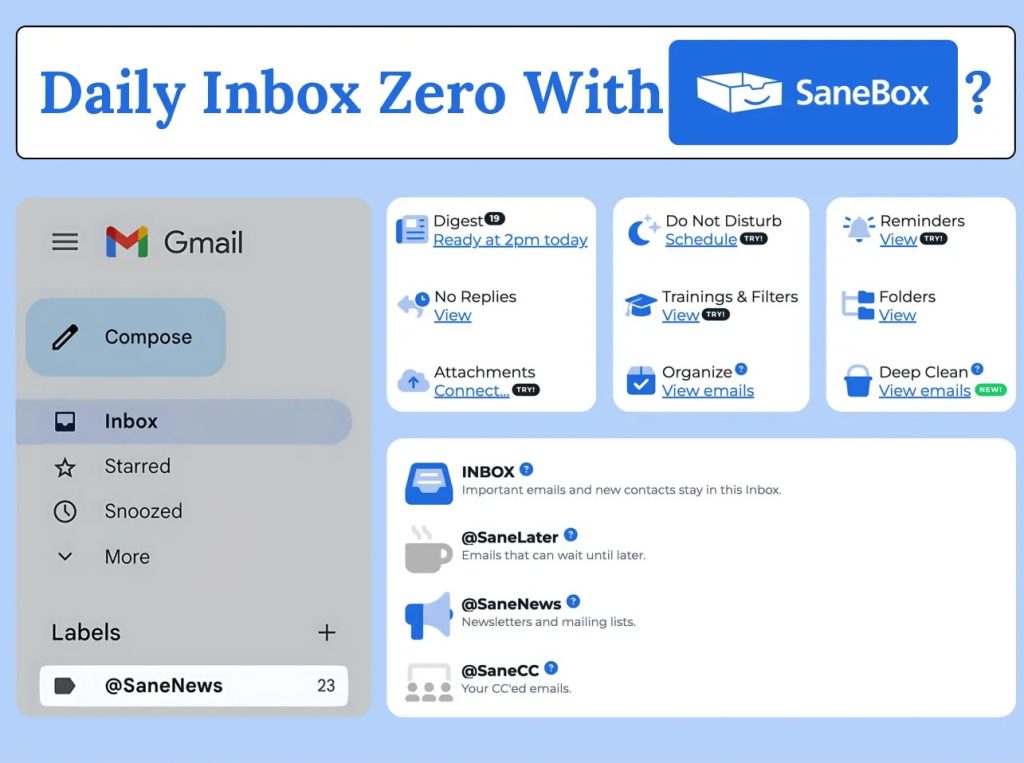
Less-important emails can be moved out of your main inbox into folders such as @SaneLater and @SaneNews, while important messages remain easier to find. SaneBox can work with major email services including Gmail, Microsoft 365, Apple iCloud, Yahoo Mail, and Fastmail.
What Can You Do With SaneBox?
Automatically Organize Emails
SaneBox’s main feature is automatic email filtering. Messages that don’t require immediate attention can be moved to SaneBox folders, helping keep your primary inbox focused.
SaneLater and SaneNews
SaneLater moves lower-priority messages out of your inbox so you can review them later. SaneNews groups newsletters and mailing-list messages together, making it easier to process them in batches.
SaneBlackHole
SaneBlackHole is designed for unwanted senders. When you move an email into this folder, future messages from that sender can be automatically handled there instead of appearing in your inbox.
Reminders and Snooze
SaneBox also offers tools for postponing emails and reminding you about messages that need a follow-up. SaneSnooze can temporarily remove emails from your inbox and return them at a selected time.
Daily Digest
The Daily Digest provides a summary of emails that were filtered into SaneBox folders, allowing you to review less-important messages without constantly checking your inbox.
SaneBox Pricing
SaneBox currently offers a 7-day free trial with access to its features. Its main plans are:
- Snack: $4.54/month when paid biyearly — 1 email account and 2 features.
- Lunch: $7.46/month when paid biyearly — 2 email accounts and 6 features.
- Dinner: $22.04/month when paid biyearly — 4 email accounts and all SaneBox features.
SaneBox also offers monthly and annual billing options, so pricing can vary depending on the billing period selected.
Is SaneBox Easy to Use?
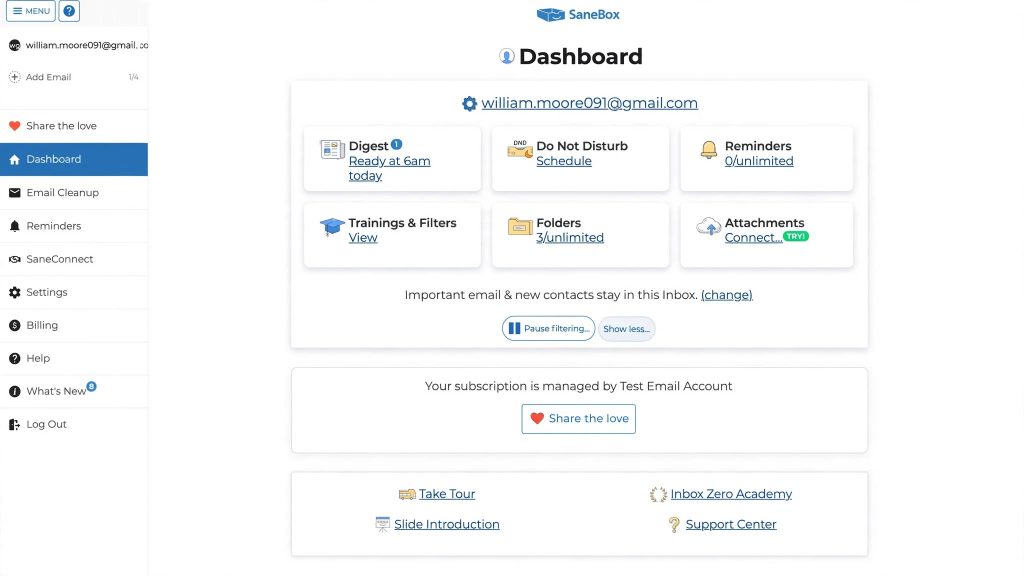
SaneBox is designed to work in the background rather than forcing users to switch to a completely new email application. Once connected, it creates specialized folders and starts sorting messages based on your email behavior.
You can also train SaneBox by moving emails between folders. This helps the system learn how you want different types of messages handled.
Pros and Cons
Pros
- Works with your existing email account and client.
- Automatically reduces inbox clutter.
- Useful filtering and organization features.
- Includes snoozing and follow-up reminders.
- Offers a 7-day free trial.
- Supports multiple major email services.
Cons
- It’s a paid service after the trial.
- Advanced features require higher-tier plans.
- Some users may prefer managing filters manually.
Who Is SaneBox Best For?
SaneBox is particularly useful for busy professionals, business owners, freelancers, remote workers, and anyone dealing with an overloaded inbox.
It can also be helpful if you receive a large number of newsletters, automated notifications, CC emails, or other messages that don’t need immediate attention.
Is SaneBox Worth It?

SaneBox can be worth considering if email overload is regularly affecting your productivity. Its biggest advantage is that it reduces the number of low-priority messages competing for attention without requiring you to abandon your existing email workflow.
The 7-day free trial also gives users a chance to see whether its automated filtering and organization features fit their email habits before paying for a subscription.
Final Verdict
SaneBox is a practical email management solution for people who want a cleaner and more organized inbox without switching to a completely new email platform.
With features such as SaneLater, SaneNews, SaneBlackHole, reminders, snoozing, and daily digests, it provides several ways to reduce email distractions and prioritize important conversations.
If your inbox regularly feels overwhelming, trying the free trial can be a straightforward way to determine whether SaneBox fits your workflow.
FAQs
Does SaneBox work with Gmail?
Yes. SaneBox works with Gmail as well as several other major email services.
Does SaneBox read my emails?
SaneBox states that it does not read the full body of your emails for its filtering process. It primarily analyzes information such as email headers, senders, and subjects.
Is SaneBox free?
SaneBox offers a 7-day free trial. After the trial, users need to select a paid subscription plan.
Can I cancel SaneBox?
Yes. SaneBox states that cancellation is designed to be simple, and users can choose what happens to their SaneBox folders afterward.
Is SaneBox worth it?
SaneBox may be worth it for people who receive a large volume of email and want automated organization without changing their existing email application.