If you create live content for YouTube, Twitch, Facebook, LinkedIn, or other platforms, managing multiple streams can quickly become complicated. Restream is designed to simplify this process by allowing creators and businesses to broadcast content across multiple platforms from one place.
With multistreaming, live chat, analytics, recording, and Restream Studio, the platform offers tools for creators, marketers, gamers, educators, and businesses. But is Restream actually worth using? Let’s take a closer look.
What Is Restream?

Restream is a live streaming and video distribution platform that lets users broadcast content to multiple destinations at the same time. It can work with streaming software such as OBS as well as its browser-based Restream Studio.
Instead of creating separate streams for each platform, you can connect your social channels to Restream and manage your broadcast from one central dashboard.
What Can You Do With Restream?
Multistreaming
The main feature is multistreaming. Depending on the plan, Restream lets you stream to multiple channels simultaneously. The current plans support 2 channels on Free, 3 on Standard, 5 on Professional, and 8 on Business.
Restream Studio
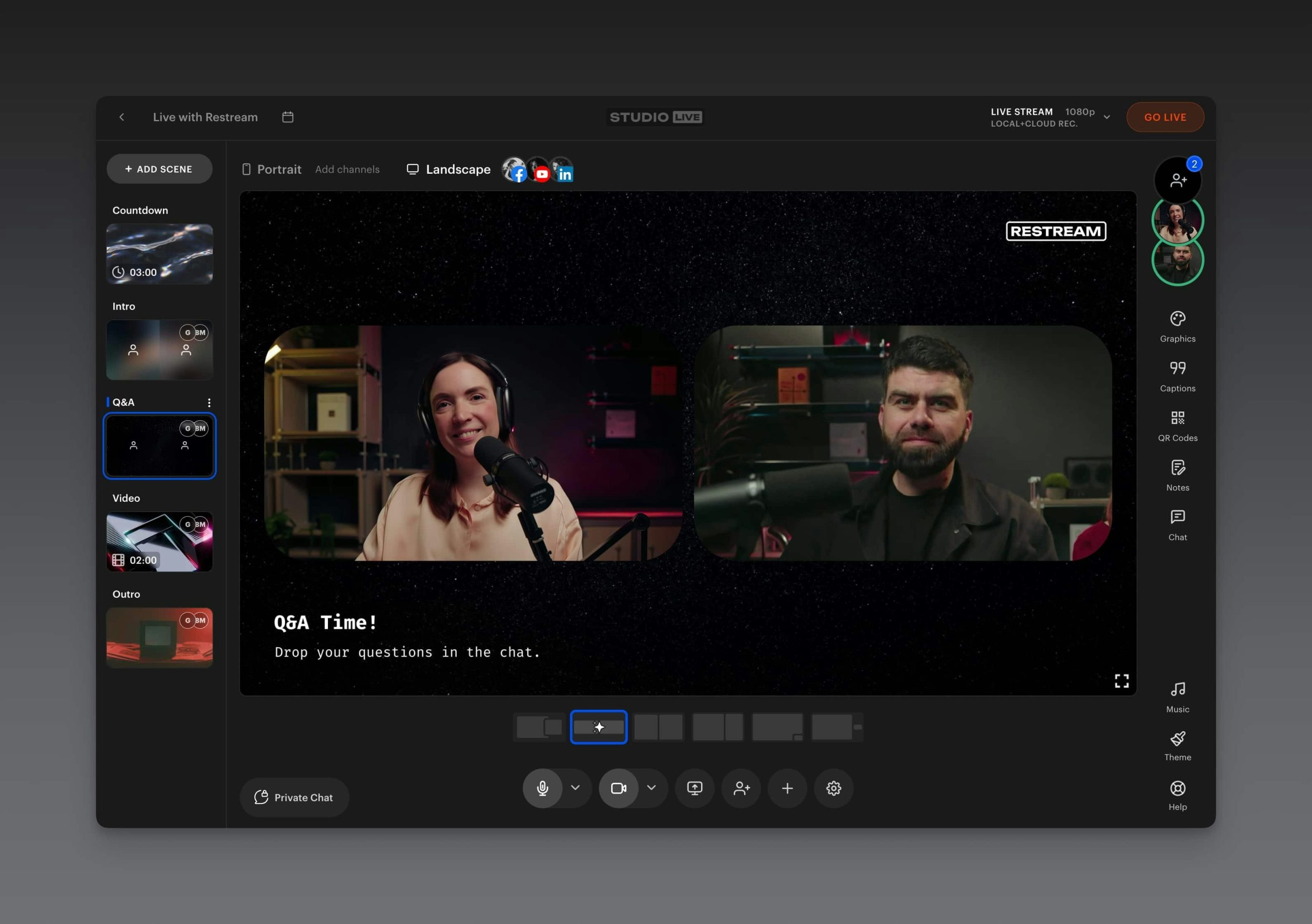
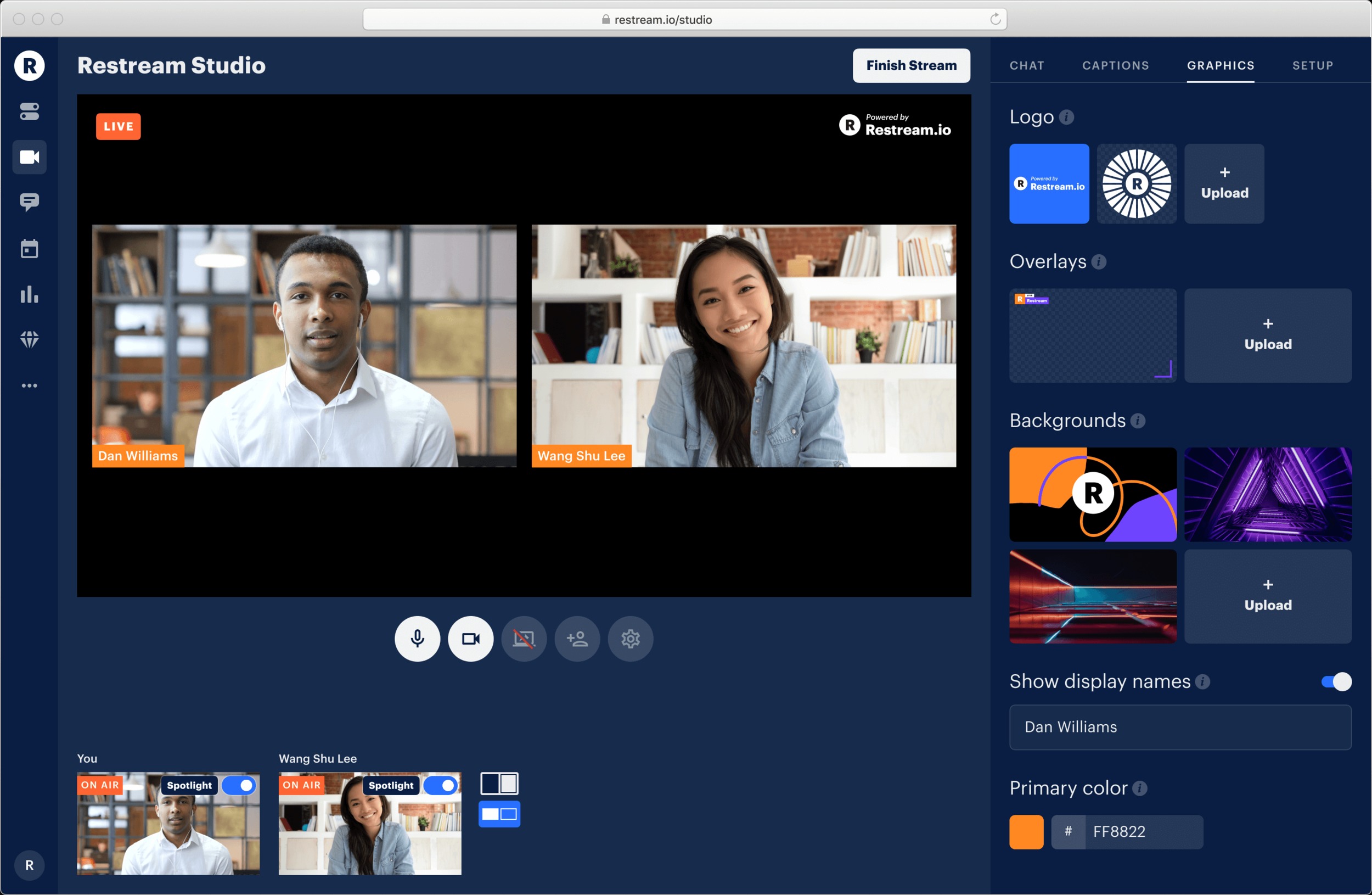
Restream Studio lets you create live broadcasts directly from your browser. You can add guests, customize scenes, use overlays and backgrounds, switch cameras and audio sources, and manage your broadcast without complicated production software.
Live Chat and Analytics
Restream brings comments from different platforms into one chat interface, making it easier to interact with viewers. Its analytics tools also provide information about viewership, engagement, followers, and other streaming metrics.
Recording and Content Repurposing
Paid features include cloud recordings and the ability to download recorded streams. Restream also offers Clips as a separate add-on for turning longer videos into shorter social-ready clips.
Restream Pricing
Restream has a free plan as well as paid subscriptions. The current displayed pricing starts at $0 for Free, $19/month for Standard, $49/month for Professional, and $239/month for Business. Enterprise plans are customized.
The Free plan supports streaming to two channels but includes Restream branding. Paid plans increase the number of simultaneous channels and unlock features such as removing branding, Full HD streaming, additional recording capabilities, and more advanced collaboration options.
Is Restream Easy to Use?
One of Restream’s biggest advantages is its relatively simple workflow. After connecting your streaming destinations, you can configure a broadcast and send it to multiple platforms without managing separate streams manually.
Beginners can use Restream Studio, while experienced creators can connect tools such as OBS and use Restream for distribution, chat, and analytics.
Pros and Cons of Restream
Pros
- Multistream to multiple platforms
- Browser-based Restream Studio
- Cross-platform chat
- Streaming analytics
- OBS and other encoder integrations
- Cloud recording options
- Guest and collaboration features
- Free plan available
Cons
- Free streams include Restream branding
- More channels require paid plans
- Some advanced features are separate add-ons
- Higher-tier plans can become expensive for professional teams
Who Is Restream Best For?
Restream can be useful for content creators, gamers, podcasters, marketers, educators, businesses, event organizers, and livestream professionals who want to reach audiences across several platforms.
It can also make sense for creators who already use OBS or another encoder but want an easier way to distribute one stream to multiple destinations.
Is Restream Worth It?
Restream is particularly useful if multistreaming is an important part of your content strategy. Its free plan provides a simple way to test the platform with two channels, while paid plans add more destinations and professional streaming features.
Customer feedback is generally positive, especially around ease of use and customer support, although some reviewers report technical issues or less satisfactory support experiences.
Final Verdict
Restream is a practical platform for creators and businesses that want to simplify multistreaming, live chat, analytics, recording, and browser-based production. The free plan makes it easy to get started, while the paid plans provide more channels and advanced capabilities.
For anyone regularly publishing live content across multiple platforms, Restream offers a convenient way to manage the process from one place.
FAQs
Is Restream free?
Yes. Restream has a free plan that supports multistreaming to two channels, although free streams include Restream branding.
How many platforms can Restream stream to?
Restream supports 30+ social channels overall, while the number you can stream to simultaneously depends on your plan.
Can I use Restream with OBS?
Yes. Restream can work with third-party streaming software such as OBS.
Does Restream record live streams?
Yes. Cloud recording is available as a paid feature, and recordings can be downloaded or shared after a stream.
Is Restream good for beginners?
Yes. Restream Studio provides a browser-based way to create and manage streams without requiring advanced production software.