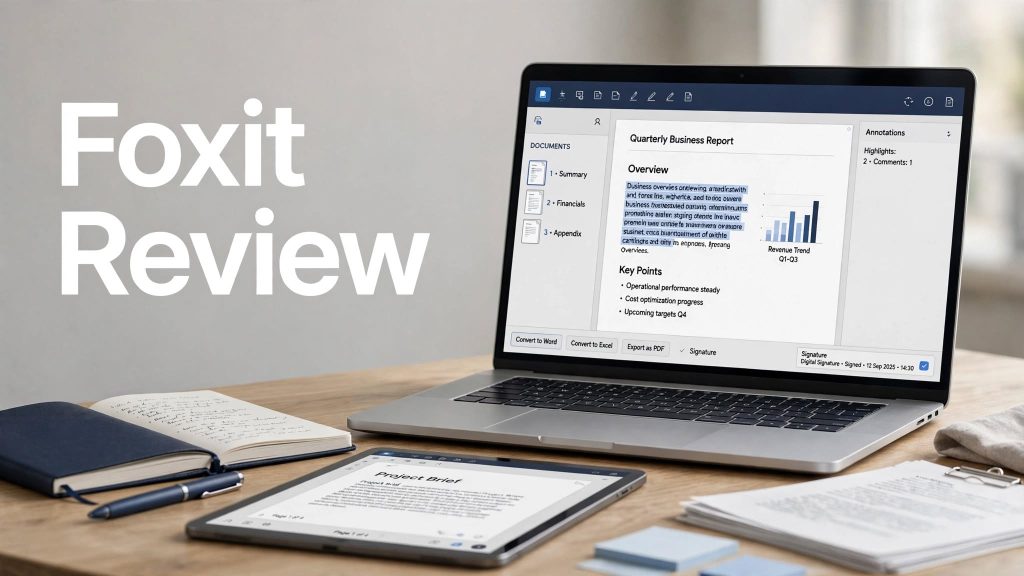
PDF documents are everywhere, from business contracts and invoices to forms, reports, presentations, and scanned paperwork. While reading a PDF is easy, editing, converting, signing, organizing, and protecting documents can be much more complicated without the right software.
Foxit is one of the established alternatives to Adobe Acrobat, offering tools for creating, editing, converting, signing, organizing, and managing PDF documents. Its current product lineup also includes AI-powered document tools designed to summarize, translate, extract information, and work with multiple documents.
But is Foxit actually worth using? Is Foxit PDF Editor good enough for professional document work, and how does its pricing compare with the features you get?
In this Foxit review, we’ll look at its key features, PDF editing capabilities, OCR, AI tools, eSign functionality, security, pricing, ease of use, pros and cons, and who Foxit is best suited for.
What Is Foxit?
Foxit is a document productivity software company known for its PDF solutions. Its flagship Foxit PDF Editor is designed to help users create, edit, convert, organize, sign, protect, and collaborate on PDF documents.
The software is available across desktop, web, and mobile platforms depending on the product and subscription. Foxit also offers a free PDF Reader for viewing, annotating, filling, and signing documents.
Foxit positions PDF Editor as an alternative to Adobe Acrobat, with professional PDF editing and document-management capabilities.
What Can You Do With Foxit PDF Editor?
Foxit PDF Editor is designed to handle much more than simply opening PDF files.
You can use it to:
- Edit PDF text and images
- Create new PDF documents
- Convert PDFs to Word, Excel, and PowerPoint
- Scan documents and perform OCR
- Organize and compare PDF pages
- Create and fill PDF forms
- Sign documents
- Protect PDFs with passwords and permissions
- Annotate and collaborate on documents
- Use AI-powered document tools
- Manage documents through Foxit DMS
These capabilities make Foxit useful for both individual users and organizations that work with large numbers of documents.
Foxit PDF Editing Features
Edit Text and Images
One of the main reasons people choose a PDF editor is the ability to modify existing documents without recreating them from scratch.
Foxit allows users to edit text, images, and page layouts directly inside PDFs. This can be useful when you need to correct information, update a document, replace an image, or make small changes to an existing file.
Create PDFs
Foxit can create PDF documents from different types of files and allows users to build interactive forms and professional documents.
This makes it useful for businesses that regularly need to turn existing content into standardized PDF documents.
Organize PDF Pages
Foxit provides tools for managing PDF pages, including merging, splitting, rotating, reordering, and deleting pages.
You can also compare two PDF versions to identify differences, which can be particularly useful for contracts, reports, and documents that go through multiple revisions.
Foxit PDF Conversion
Converting PDFs into editable office formats is another important Foxit feature.
Foxit PDF Editor supports conversion between PDFs and formats such as:
- Microsoft Word
- Microsoft Excel
- Microsoft PowerPoint
The goal is to preserve the original document structure and formatting as much as possible while making the content editable.
This can save considerable time when you receive a PDF that needs to be edited in another application.
Foxit OCR
 OCR, or optical character recognition, is particularly useful when working with scanned documents.
Instead of treating a scanned page as nothing more than an image, OCR can recognize the text and turn it into searchable and editable content.
Foxit supports OCR for scanned documents and provides options for recognition languages, page ranges, and reviewing potentially incorrect OCR results. Foxit says its OCR uses ABBYY technology and supports multi-language documents and table and column detection.
Why OCR Matters
OCR can be useful for:
- Scanned contracts
- Old paperwork
- Invoices
- Receipts
- Archived documents
- Printed forms
- Digitized business records
For businesses converting physical documents into searchable digital archives, OCR can be especially valuable.
Foxit AI Features
AI is becoming a larger part of Foxit’s document workflow.
Foxit provides AI capabilities through its AI Assistant, Foxit Workspace, and, on supported devices, local AI processing. These tools can help users summarize documents, translate content, extract information, and work with multiple documents.
AI Assistant
Foxit AI Assistant can help users interact with documents using natural-language prompts.
Instead of manually searching through a long PDF, users can use AI-powered tools to summarize information, extract relevant details, or ask questions about document content.
A free Foxit account currently includes 300 AI credits per month, while the separate AI Assistant subscription provides 2,000 credits per month.
Foxit Workspace
Foxit Workspace is designed for working across multiple documents rather than only analyzing a single PDF.
According to Foxit, Workspace can help analyze contracts, reports, and forms and turn information into outputs such as summaries, slides, and other deliverables.
Local AI
Foxit also offers local AI capabilities on supported devices. The idea is to process certain sensitive documents on the user’s device rather than relying entirely on cloud processing.
This can be an interesting feature for users who regularly work with confidential documents.
Foxit eSign
Foxit also provides electronic signature functionality.
PDF Editor supports filling and signing documents, while PDF Editor+ adds Foxit eSign functionality for sending documents for signatures and tracking responses.
The current PDF Editor+ plan includes 150 eSign envelopes per year according to Foxit’s published plan information.
This makes Foxit more than just a PDF editor for businesses that regularly send contracts, agreements, or forms for signatures.
Foxit Security Features
PDF security is important when documents contain sensitive business, financial, legal, or personal information.
Foxit provides features such as:
- Password protection
- Encryption
- Permission controls
- Manual redaction
- AI-powered Smart Redact on supported plans
- Document sanitization
- Security and access controls
Foxit also highlights enterprise security and compliance capabilities across its product ecosystem.
Smart Redact
Smart Redact uses AI to help identify and remove personally identifiable information from documents.
This can be useful when documents need to be shared externally while sensitive information needs to be removed.
Smart Redact is included with PDF Editor+ rather than the standard PDF Editor plan.
Foxit Collaboration Features
Foxit isn’t limited to individual PDF editing.
Its collaboration tools allow users to annotate, comment, review, share, and collaborate on documents. Foxit also supports integrations with cloud-storage and enterprise document-management environments such as OneDrive, SharePoint, Dropbox, Box, and other platforms.
This can make Foxit more practical for teams that need multiple people to review the same documents.
Foxit Document Management System
Foxit also offers a Document Management System, or DMS, for organizations that need more centralized document control.
The DMS can support capabilities such as:
- Centralized document management
- Version history
- Check-in and check-out
- Access controls
- Collaboration
- Activity tracking
This is more relevant to businesses and organizations than casual PDF users.
Is Foxit Easy to Use?
Foxit provides a familiar desktop-style PDF editing experience, making it relatively approachable for users who have worked with traditional document software before.
Basic tasks such as opening, annotating, signing, and organizing PDFs are straightforward.
More advanced functions, including OCR, redaction, AI tools, document management, and complex PDF editing, naturally require some additional learning.
For everyday PDF work, however, Foxit offers a broad set of tools without requiring users to switch between multiple applications.
Foxit Pricing
Foxit currently offers several ways to access its PDF tools, including subscription plans, a free PDF Reader, AI services, and a perpetual PDF Editor license.
Foxit’s current pricing page lists PDF Editor subscriptions starting at $10.99 per user per month when billed according to its published US pricing, while the company also offers PDF Editor+ with additional mobile, eSign, and Smart Redact capabilities.
Foxit also offers a perpetual Foxit PDF Editor 14 license for Windows and macOS. Foxit lists the one-time purchase at $209.99 on its current US pricing information.
Pricing and plan availability can vary by region and may change over time, so it’s worth checking Foxit’s current pricing page before purchasing.
Is There a Free Foxit Version?
Yes.
Foxit PDF Reader is available as a free PDF reader and provides tools for viewing, annotating, commenting, filling forms, and signing PDFs.
However, advanced features such as editing text and images, PDF conversion, OCR, and some AI and security tools require a paid product or applicable subscription.
Foxit also currently promotes a 14-day free trial for PDF Editor+ without requiring a credit card.
Foxit Pros and Cons
Pros
- Powerful PDF editing tools
- PDF creation and conversion
- OCR for scanned documents
- AI-powered document tools
- eSign functionality
- PDF security and redaction
- Collaboration features
- Desktop, web, and mobile options depending on plan
- Free PDF Reader available
- Perpetual license option available
- Document management features for organizations
Cons
- Advanced features require paid plans
- AI tools use credit-based access
- Some features vary between plans
- The large feature set can feel overwhelming for casual users
- Some advanced business features are primarily useful for organizations
Who Is Foxit Best For?
Business Professionals
Foxit is useful for professionals who regularly edit contracts, forms, reports, invoices, and other PDF documents.
Small Businesses
Small businesses can use Foxit to create documents, convert files, collect signatures, protect sensitive information, and collaborate with team members.
Students
Students can benefit from PDF annotation, editing, organization, document conversion, and AI-assisted document analysis.
Legal and Administrative Teams
Teams working with contracts and formal documents may find features such as comparison, redaction, eSign, OCR, and document security particularly useful.
Enterprises
Larger organizations can take advantage of centralized management, integrations, security controls, DMS capabilities, and licensing options.
Who Should Consider an Alternative?
Foxit may be more software than some casual users need.
If you only need to open and read PDFs occasionally, a free PDF reader may be enough.
Similarly, users who rarely edit or sign documents may not need a full PDF Editor subscription.
On the other hand, professional users who regularly work with PDFs can benefit from Foxit’s broader toolset.
Foxit vs Adobe Acrobat
Foxit is positioned as an alternative to Adobe Acrobat, and both platforms provide professional PDF editing, conversion, signing, security, and document-management capabilities.
The main consideration is not simply which software has more features. Instead, users should compare the specific tools they need, supported platforms, AI functionality, pricing, integrations, and licensing options.
One notable difference is that Foxit currently offers a perpetual PDF Editor license for Windows and macOS, while its subscription products add newer cloud, AI, and collaboration capabilities.
Is Foxit Legit?
Yes. Foxit is an established PDF software provider with products used by individuals, businesses, and organizations.
Foxit says its products are used by more than 700 million users and 660,000+ organizations worldwide. The company also highlights enterprise security and compliance capabilities.
As with any software service, users should still review the specific plan, privacy terms, security requirements, and data-handling options relevant to their organization.
Is Foxit Worth It?
For users who regularly work with PDF documents, Foxit can offer substantial value because it combines many tasks into one platform.
Instead of using separate applications for editing, conversion, OCR, signing, redaction, collaboration, and document analysis, Foxit brings many of these functions together.
The value becomes particularly apparent for business users and professionals who work with PDFs every day.
Casual users who only read PDFs may find the free Foxit PDF Reader sufficient.
Final Verdict: Should You Use Foxit?
Foxit is a feature-rich PDF and document productivity platform that is worth considering for users who need more than basic PDF reading.
Its combination of PDF editing, conversion, OCR, forms, signing, security, collaboration, and AI-powered document tools gives it a broad range of applications.
The availability of a free PDF Reader makes it easy to start, while PDF Editor and PDF Editor+ provide more advanced capabilities for professionals and businesses.
If you regularly create, edit, convert, sign, protect, or analyze PDF documents, Foxit is a practical option to consider.
Frequently Asked Questions About Foxit
What is Foxit used for?
Foxit is used to read, create, edit, convert, organize, sign, protect, and collaborate on PDF documents.
Is Foxit free?
Foxit offers a free PDF Reader. Advanced editing, conversion, OCR, AI, eSign, and other professional features are available through paid products and plans.
Is Foxit better than Adobe Acrobat?
Foxit and Adobe Acrobat offer many similar professional PDF capabilities. The right choice depends on your required features, pricing, platforms, integrations, and licensing preferences.
Does Foxit have OCR?
Yes. Foxit PDF Editor includes OCR capabilities that can convert scanned documents into searchable and editable PDFs.
Does Foxit have AI?
Yes. Foxit provides AI Assistant, Workspace, and local AI capabilities on supported devices and plans. A free Foxit account currently includes 300 AI credits per month.
Can Foxit sign PDF documents?
Yes. Foxit supports filling and signing PDFs, while PDF Editor+ includes Foxit eSign functionality for sending documents for signature and tracking responses.
Does Foxit work on Mac?
Yes. Foxit PDF Editor supports macOS, and PDF Editor+ additionally supports Windows, macOS, web, iOS, and Android.
Does Foxit have a lifetime license?
Foxit currently offers a perpetual PDF Editor license for Windows and macOS, meaning users can make a one-time purchase rather than subscribing. The perpetual version does not include some newer AI, cloud, DMS, and eSign capabilities.
OCR, or optical character recognition, is particularly useful when working with scanned documents.
Instead of treating a scanned page as nothing more than an image, OCR can recognize the text and turn it into searchable and editable content.
Foxit supports OCR for scanned documents and provides options for recognition languages, page ranges, and reviewing potentially incorrect OCR results. Foxit says its OCR uses ABBYY technology and supports multi-language documents and table and column detection.
Why OCR Matters
OCR can be useful for:
- Scanned contracts
- Old paperwork
- Invoices
- Receipts
- Archived documents
- Printed forms
- Digitized business records
For businesses converting physical documents into searchable digital archives, OCR can be especially valuable.
Foxit AI Features
AI is becoming a larger part of Foxit’s document workflow.
Foxit provides AI capabilities through its AI Assistant, Foxit Workspace, and, on supported devices, local AI processing. These tools can help users summarize documents, translate content, extract information, and work with multiple documents.
AI Assistant
Foxit AI Assistant can help users interact with documents using natural-language prompts.
Instead of manually searching through a long PDF, users can use AI-powered tools to summarize information, extract relevant details, or ask questions about document content.
A free Foxit account currently includes 300 AI credits per month, while the separate AI Assistant subscription provides 2,000 credits per month.
Foxit Workspace
Foxit Workspace is designed for working across multiple documents rather than only analyzing a single PDF.
According to Foxit, Workspace can help analyze contracts, reports, and forms and turn information into outputs such as summaries, slides, and other deliverables.
Local AI
Foxit also offers local AI capabilities on supported devices. The idea is to process certain sensitive documents on the user’s device rather than relying entirely on cloud processing.
This can be an interesting feature for users who regularly work with confidential documents.
Foxit eSign
Foxit also provides electronic signature functionality.
PDF Editor supports filling and signing documents, while PDF Editor+ adds Foxit eSign functionality for sending documents for signatures and tracking responses.
The current PDF Editor+ plan includes 150 eSign envelopes per year according to Foxit’s published plan information.
This makes Foxit more than just a PDF editor for businesses that regularly send contracts, agreements, or forms for signatures.
Foxit Security Features
PDF security is important when documents contain sensitive business, financial, legal, or personal information.
Foxit provides features such as:
- Password protection
- Encryption
- Permission controls
- Manual redaction
- AI-powered Smart Redact on supported plans
- Document sanitization
- Security and access controls
Foxit also highlights enterprise security and compliance capabilities across its product ecosystem.
Smart Redact
Smart Redact uses AI to help identify and remove personally identifiable information from documents.
This can be useful when documents need to be shared externally while sensitive information needs to be removed.
Smart Redact is included with PDF Editor+ rather than the standard PDF Editor plan.
Foxit Collaboration Features
Foxit isn’t limited to individual PDF editing.
Its collaboration tools allow users to annotate, comment, review, share, and collaborate on documents. Foxit also supports integrations with cloud-storage and enterprise document-management environments such as OneDrive, SharePoint, Dropbox, Box, and other platforms.
This can make Foxit more practical for teams that need multiple people to review the same documents.
Foxit Document Management System
Foxit also offers a Document Management System, or DMS, for organizations that need more centralized document control.
The DMS can support capabilities such as:
- Centralized document management
- Version history
- Check-in and check-out
- Access controls
- Collaboration
- Activity tracking
This is more relevant to businesses and organizations than casual PDF users.
Is Foxit Easy to Use?
Foxit provides a familiar desktop-style PDF editing experience, making it relatively approachable for users who have worked with traditional document software before.
Basic tasks such as opening, annotating, signing, and organizing PDFs are straightforward.
More advanced functions, including OCR, redaction, AI tools, document management, and complex PDF editing, naturally require some additional learning.
For everyday PDF work, however, Foxit offers a broad set of tools without requiring users to switch between multiple applications.
Foxit Pricing
Foxit currently offers several ways to access its PDF tools, including subscription plans, a free PDF Reader, AI services, and a perpetual PDF Editor license.
Foxit’s current pricing page lists PDF Editor subscriptions starting at $10.99 per user per month when billed according to its published US pricing, while the company also offers PDF Editor+ with additional mobile, eSign, and Smart Redact capabilities.
Foxit also offers a perpetual Foxit PDF Editor 14 license for Windows and macOS. Foxit lists the one-time purchase at $209.99 on its current US pricing information.
Pricing and plan availability can vary by region and may change over time, so it’s worth checking Foxit’s current pricing page before purchasing.
Is There a Free Foxit Version?
Yes.
Foxit PDF Reader is available as a free PDF reader and provides tools for viewing, annotating, commenting, filling forms, and signing PDFs.
However, advanced features such as editing text and images, PDF conversion, OCR, and some AI and security tools require a paid product or applicable subscription.
Foxit also currently promotes a 14-day free trial for PDF Editor+ without requiring a credit card.
Foxit Pros and Cons
Pros
- Powerful PDF editing tools
- PDF creation and conversion
- OCR for scanned documents
- AI-powered document tools
- eSign functionality
- PDF security and redaction
- Collaboration features
- Desktop, web, and mobile options depending on plan
- Free PDF Reader available
- Perpetual license option available
- Document management features for organizations
Cons
- Advanced features require paid plans
- AI tools use credit-based access
- Some features vary between plans
- The large feature set can feel overwhelming for casual users
- Some advanced business features are primarily useful for organizations
Who Is Foxit Best For?
Business Professionals
Foxit is useful for professionals who regularly edit contracts, forms, reports, invoices, and other PDF documents.
Small Businesses
Small businesses can use Foxit to create documents, convert files, collect signatures, protect sensitive information, and collaborate with team members.
Students
Students can benefit from PDF annotation, editing, organization, document conversion, and AI-assisted document analysis.
Legal and Administrative Teams
Teams working with contracts and formal documents may find features such as comparison, redaction, eSign, OCR, and document security particularly useful.
Enterprises
Larger organizations can take advantage of centralized management, integrations, security controls, DMS capabilities, and licensing options.
Who Should Consider an Alternative?
Foxit may be more software than some casual users need.
If you only need to open and read PDFs occasionally, a free PDF reader may be enough.
Similarly, users who rarely edit or sign documents may not need a full PDF Editor subscription.
On the other hand, professional users who regularly work with PDFs can benefit from Foxit’s broader toolset.
Foxit vs Adobe Acrobat
Foxit is positioned as an alternative to Adobe Acrobat, and both platforms provide professional PDF editing, conversion, signing, security, and document-management capabilities.
The main consideration is not simply which software has more features. Instead, users should compare the specific tools they need, supported platforms, AI functionality, pricing, integrations, and licensing options.
One notable difference is that Foxit currently offers a perpetual PDF Editor license for Windows and macOS, while its subscription products add newer cloud, AI, and collaboration capabilities.
Is Foxit Legit?
Yes. Foxit is an established PDF software provider with products used by individuals, businesses, and organizations.
Foxit says its products are used by more than 700 million users and 660,000+ organizations worldwide. The company also highlights enterprise security and compliance capabilities.
As with any software service, users should still review the specific plan, privacy terms, security requirements, and data-handling options relevant to their organization.
Is Foxit Worth It?
For users who regularly work with PDF documents, Foxit can offer substantial value because it combines many tasks into one platform.
Instead of using separate applications for editing, conversion, OCR, signing, redaction, collaboration, and document analysis, Foxit brings many of these functions together.
The value becomes particularly apparent for business users and professionals who work with PDFs every day.
Casual users who only read PDFs may find the free Foxit PDF Reader sufficient.
Final Verdict: Should You Use Foxit?
Foxit is a feature-rich PDF and document productivity platform that is worth considering for users who need more than basic PDF reading.
Its combination of PDF editing, conversion, OCR, forms, signing, security, collaboration, and AI-powered document tools gives it a broad range of applications.
The availability of a free PDF Reader makes it easy to start, while PDF Editor and PDF Editor+ provide more advanced capabilities for professionals and businesses.
If you regularly create, edit, convert, sign, protect, or analyze PDF documents, Foxit is a practical option to consider.
Frequently Asked Questions About Foxit
What is Foxit used for?
Foxit is used to read, create, edit, convert, organize, sign, protect, and collaborate on PDF documents.
Is Foxit free?
Foxit offers a free PDF Reader. Advanced editing, conversion, OCR, AI, eSign, and other professional features are available through paid products and plans.
Is Foxit better than Adobe Acrobat?
Foxit and Adobe Acrobat offer many similar professional PDF capabilities. The right choice depends on your required features, pricing, platforms, integrations, and licensing preferences.
Does Foxit have OCR?
Yes. Foxit PDF Editor includes OCR capabilities that can convert scanned documents into searchable and editable PDFs.
Does Foxit have AI?
Yes. Foxit provides AI Assistant, Workspace, and local AI capabilities on supported devices and plans. A free Foxit account currently includes 300 AI credits per month.
Can Foxit sign PDF documents?
Yes. Foxit supports filling and signing PDFs, while PDF Editor+ includes Foxit eSign functionality for sending documents for signature and tracking responses.
Does Foxit work on Mac?
Yes. Foxit PDF Editor supports macOS, and PDF Editor+ additionally supports Windows, macOS, web, iOS, and Android.
Does Foxit have a lifetime license?
Foxit currently offers a perpetual PDF Editor license for Windows and macOS, meaning users can make a one-time purchase rather than subscribing. The perpetual version does not include some newer AI, cloud, DMS, and eSign capabilities.