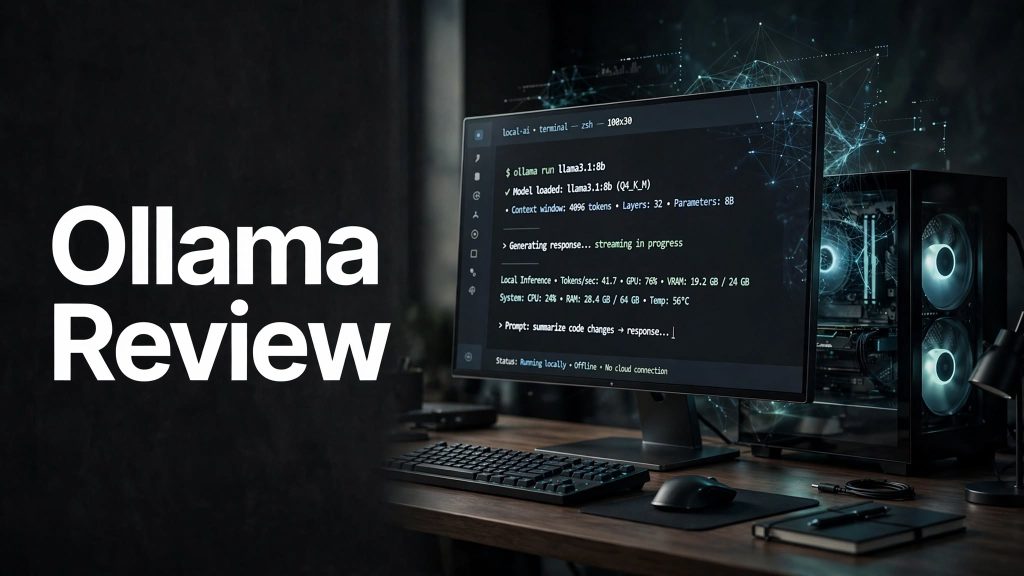
Running AI models locally can give developers more control over their data, setup, and AI workflows. Ollama is a platform that makes it easier to download, run, and work with open AI models directly on a computer.
It can be used for coding, AI assistants, experimentation, automation, and other tasks where users want to work with local or cloud-based AI models.
What Is Ollama?

Ollama is an AI platform designed to make running open models easier on computers. Users can install Ollama and run supported models locally, allowing prompts and model processing to stay on their own machine.
Ollama also provides cloud-based model access, giving users the option to use larger models without downloading them or requiring powerful local hardware.
What Can You Do With Ollama?
Run AI Models Locally
One of Ollama’s biggest advantages is the ability to run AI models directly on your computer. This can be useful for users who want more control over their AI environment and data.
Use Cloud AI Models
Ollama also supports cloud models for users who need access to larger models or faster performance without relying entirely on their own hardware.
AI Coding and Development

Ollama can be integrated with coding tools and development workflows. It supports popular coding agents and can be used through an API to build AI-powered applications and tools.
Build Custom AI Workflows
Developers can use Ollama as part of their own applications and automation workflows. Its API and model ecosystem make it possible to connect AI capabilities with other software and development projects.
Ollama Pricing
Ollama offers a Free plan at $0, which includes local model usage and starter cloud usage. Users can also purchase additional cloud usage credits when needed.
The current Pro plan costs $20/month and includes $60 of monthly usage credits. Max costs $100/month and includes $300 of usage credits, while the Team plan costs $500/month with $1,000 of shared monthly usage credits.
An important advantage is that models running on your own hardware do not require cloud usage credits.
Is Ollama Easy to Use?

Ollama is designed to make getting started with AI models relatively simple. Users can install the software, select a model, and run it from their computer using a straightforward workflow.
For developers, Ollama also works with coding agents and provides an API, making it useful beyond basic chat-style AI interactions.
However, running larger local models can require a computer with sufficient RAM, VRAM, and processing power.
Pros and Cons of Ollama
Pros
- Run AI models locally.
- Greater control over local AI workflows.
- Cloud models are also available.
- Useful for coding and development.
- API available for custom applications.
- Works with popular AI coding tools.
- Local model usage does not require cloud credits.
Cons
- Large models may require powerful hardware.
- Performance depends on the computer being used.
- Cloud usage can add additional costs.
- Beginners may need some technical knowledge.
Who Is Ollama Best For?
Ollama is particularly useful for developers, programmers, AI enthusiasts, researchers, and technical users who want to experiment with open AI models.
It can also be useful for businesses and teams that want to integrate AI into development workflows while having the option of keeping some workloads on local hardware.
Is Ollama Worth It?
Ollama can be worth it for users who want an easier way to experiment with open AI models and run them locally. The ability to switch between local and cloud models gives users more flexibility depending on their hardware and workload.
For developers, its API and integrations can make Ollama more useful than a simple standalone AI chatbot.
Final Verdict
Ollama is a strong option for developers and AI enthusiasts who want more control over how they use AI models. Its combination of local model execution, cloud access, developer integrations, and API support makes it suitable for both experimentation and more advanced AI workflows.
If you have capable hardware and want to explore local AI, Ollama is definitely worth considering.
Frequently Asked Questions
What is Ollama used for?
Ollama is used to run and interact with open AI models locally and through the cloud.
Can Ollama run AI models locally?
Yes. Ollama allows supported AI models to run directly on your computer.
Does Ollama have a free plan?
Yes. Ollama currently offers a free plan that includes local model usage and starter cloud usage.
Does Ollama require a powerful computer?
Not always. Smaller models can run on more modest hardware, while larger models may require significantly more RAM, VRAM, and processing power.
Is Ollama good for coding?
Yes. Ollama supports coding workflows and integrations with popular developer tools and AI coding agents.