
Managing notes, documents, tasks, and team knowledge can become difficult when everything is spread across different tools. Saga is an AI-powered collaborative workspace designed to bring writing, knowledge management, tasks, and AI assistance together in one place.
With its connected knowledge features and built-in AI tools, Saga aims to help individuals and teams organize information, work faster, and collaborate without constantly switching between apps.
What Is Saga?

Saga is a collaborative workspace for creating and managing notes, documents, and tasks. It is designed around a simple and fast interface while also providing AI-powered tools directly inside the workspace.
One of its key ideas is connected knowledge. Saga can create links and cross-references between information, helping users find relationships between different notes and documents more easily.
What Can You Do With Saga?
Create and Organize Notes
Saga provides a workspace for writing notes, documents, project information, and other important content in one organized environment.
Use AI for Writing and Brainstorming
Saga AI can help generate drafts, improve existing content, brainstorm ideas, answer questions, rewrite text, translate content, and correct grammar directly inside the workspace.
Manage Tasks
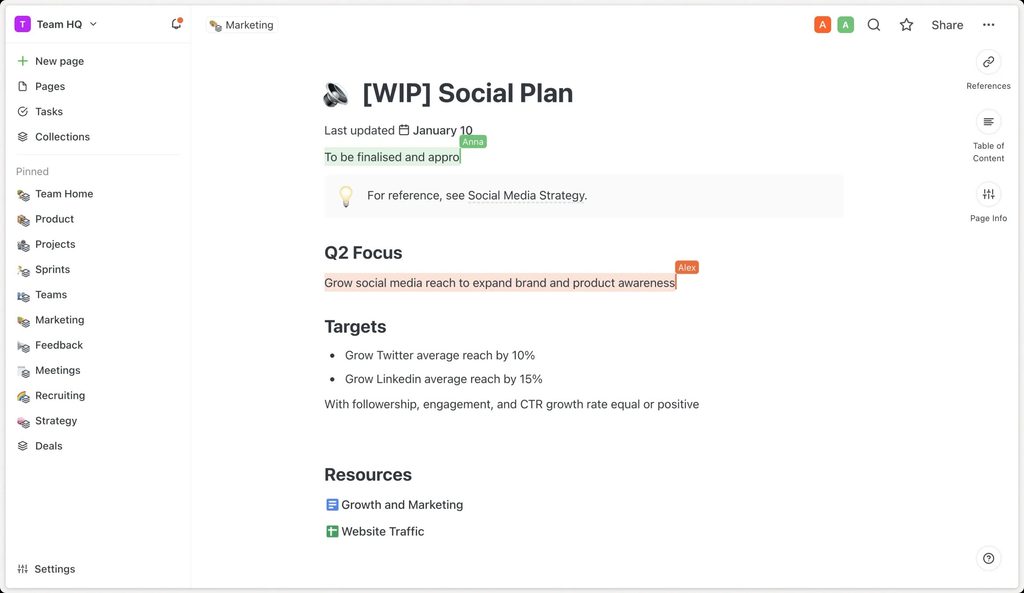
Tasks can be managed alongside notes and documents, making Saga useful for project planning and everyday work management.
Connect Your Knowledge
Saga can automatically recognize connections between information and create cross-references, helping users build a more connected knowledge base instead of keeping isolated documents.
Saga Pricing
Saga currently offers a Free plan at $0, which includes unlimited pages and tasks, workspace support for up to three members, and limited Saga AI usage. Its Standard plan starts at $8 per member per month and provides unlimited workspace members and unlimited Saga AI.
The free option makes it possible to explore the platform before upgrading, while the paid plan is more suitable for teams that need broader AI and collaboration capabilities.
Is Saga Easy to Use?
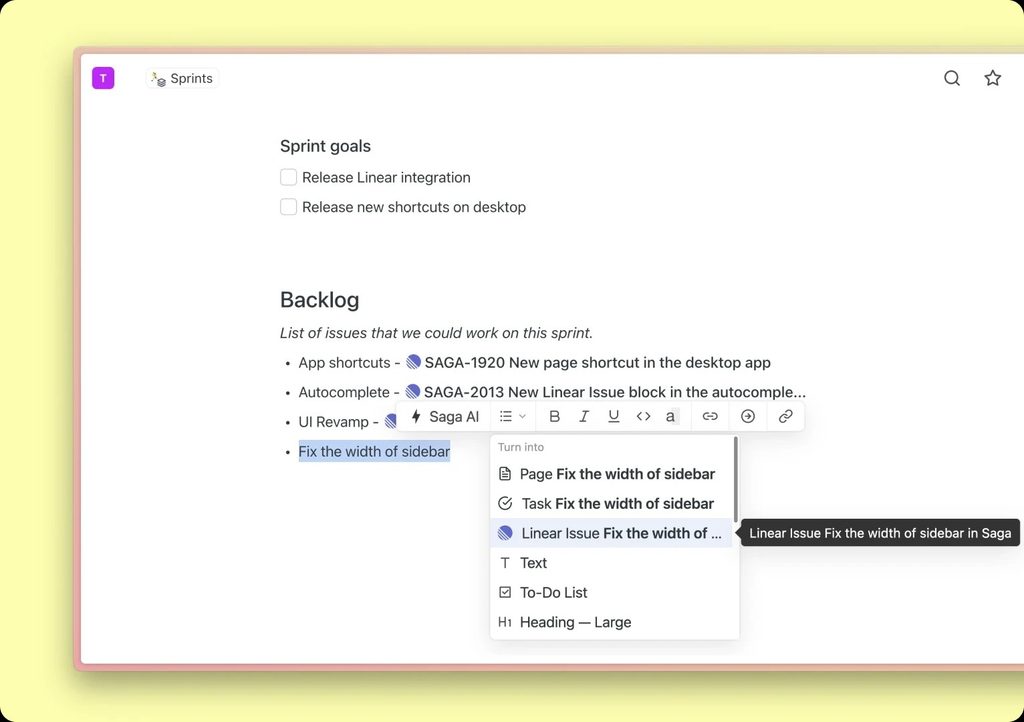
Saga focuses heavily on simplicity and speed. Its clean workspace is designed to keep writing, searching, linking information, and managing tasks relatively straightforward.
Features such as keyboard shortcuts, autocomplete, side-by-side pages, media embeds, and AI tools are designed to help users work without constantly navigating between different applications.
Pros and Cons of Saga
Pros
- Clean and fast workspace.
- Built-in AI writing and brainstorming tools.
- Notes, documents, and tasks in one place.
- Connected knowledge and automatic cross-references.
- Real-time collaboration.
- Free plan available.
- Useful keyboard shortcuts and productivity features.
Cons
- Advanced team features may require a paid plan.
- Users may need some time to understand the connected workspace approach.
- Smaller teams may not need all of its advanced capabilities.
Who Is Saga Best For?
Saga can be useful for writers, professionals, founders, small businesses, project teams, researchers, and anyone who needs a central place for notes, documents, tasks, and knowledge.
It is especially useful for people who want AI assistance directly inside their workspace rather than switching between a separate AI chatbot and their documents.
Is Saga Worth It?
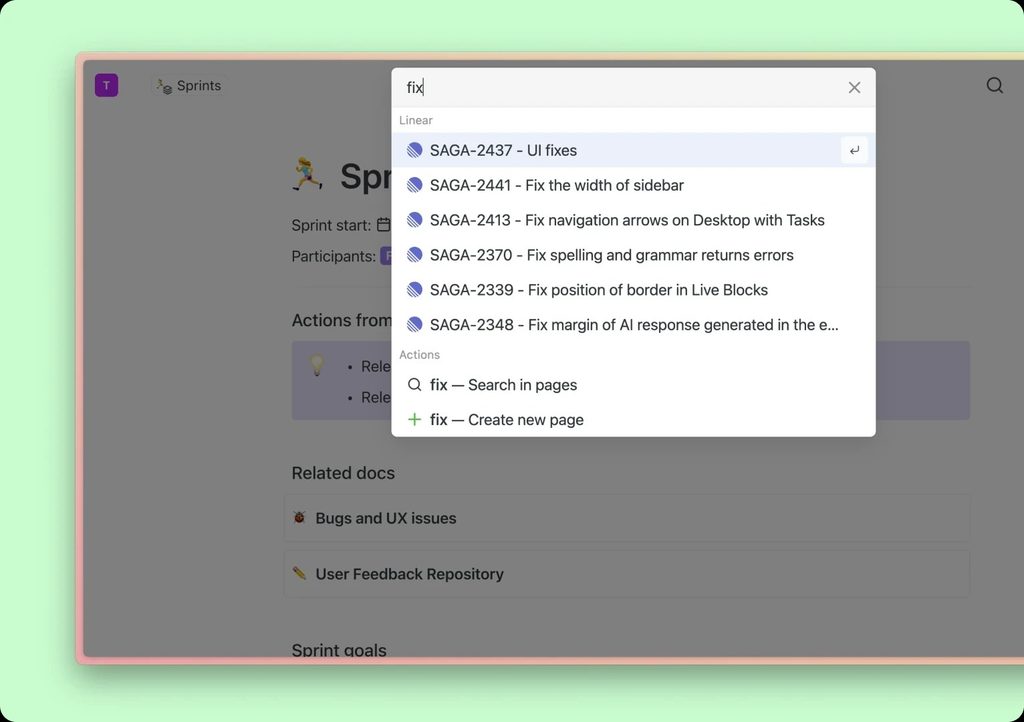
Saga is worth considering if you want a combination of knowledge management, writing, task management, collaboration, and AI assistance in one workspace.
Its free plan also makes it relatively easy to test the platform before committing to a paid subscription. For users who value a clean interface and connected information, Saga can be a practical alternative to using several separate productivity tools.
Final Verdict
Saga offers a modern approach to knowledge management and collaboration by combining notes, documents, tasks, connected information, and AI tools in one workspace.
Its simple interface, built-in AI assistant, real-time collaboration, and connected knowledge features make it a useful option for individuals and teams looking for a more centralized way to manage their work.
Frequently Asked Questions
What is Saga used for?
Saga is used for creating notes, managing documents and tasks, connecting knowledge, collaborating with teams, and using AI for writing and productivity.
Does Saga have AI features?
Yes. Saga AI can help with writing, brainstorming, rewriting, translation, grammar, and answering questions within the workspace.
Is Saga free?
Yes. Saga currently has a Free plan with unlimited pages and tasks and limited AI usage.
Does Saga support team collaboration?
Yes. Saga supports real-time collaboration and shared workspaces for teams.
Who should use Saga?
Saga is suitable for professionals, writers, teams, researchers, founders, and businesses that want notes, tasks, documents, and AI tools in one workspace.